Thrifty Business Guide
Thrifty Business Organization & Shop Score Guide
Master shop layout in Thrifty Business. Learn how to group items by function, increase your shop score, manage furniture, and boost decoration.
A better layout in Thrifty Business is not about making every shelf pretty. It is about making the shop readable: similar items together, the right furniture for the right objects, and enough decoration to improve the shop’s appeal.
The most useful rule is:
Sort by function first, then use color as a secondary rule.
If you only group items by color, your shop can look neat but still feel confusing. A green lamp, a green bag, and a green toy may share a color, but they do not help the same section in the same way.
For item sources and tags, read the Box Categories Guide.
For community points, expansion, and events, read the Community Points and Events Guide.
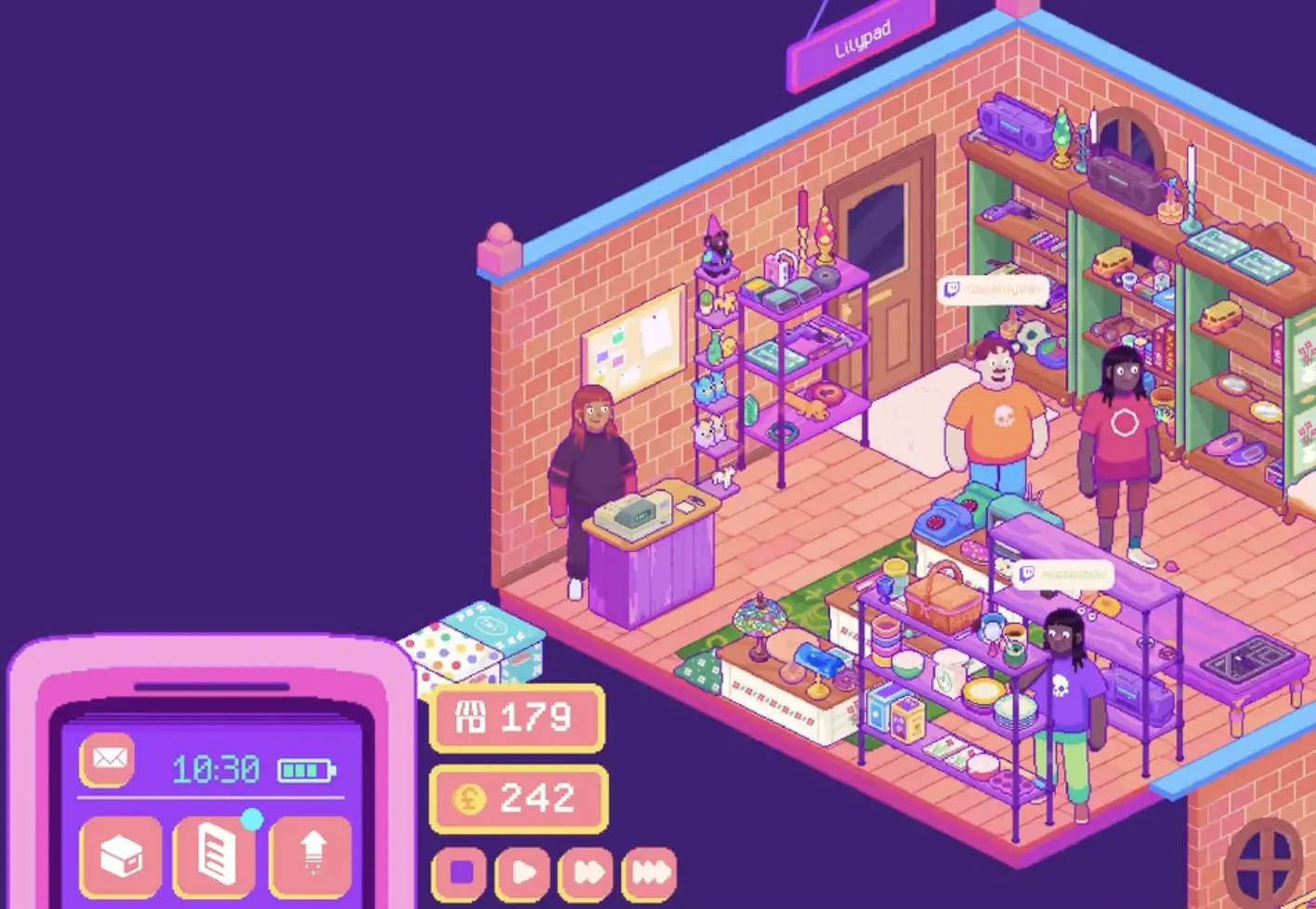
Fast Answer
| Problem | Best fix |
|---|---|
| Shop score feels low | Build clearer item sections instead of spreading categories everywhere. |
| Items look organized but score still feels weak | Sort by function or tag before sorting by color. |
| Clothes are awkward to place | Use clothing rails. Do not treat clothes like shelf clutter. |
| Large items keep blocking space | Use tables or floor space instead of forcing them onto shelves. |
| Decoration bonus is low | Add decorative items or themed decor without destroying functional sections. |
| Request items are hard to manage | Put them in the matching section, such as pet, kitchen, bag, or clothing. |
| Shop is full but still messy | Stop opening boxes and fix furniture/layout first. |
How Shop Score Works
Shop score reflects how attractive and organized your shop is. The score screen can show organized categories, category levels, decoration bonus, and a total score.
You do not need to solve the exact formula to improve it. The practical rule is simple:
Build clear sections that the game and the player can both understand.
Good sections include:
| Section | Good items |
|---|---|
| Kitchen | bowls, pans, microwave, rolling pin, mixer, kitchen tools |
| Clothing | skirts, dresses, jackets, shirts, trousers |
| Bags | backpacks, fanny packs, clutches, suitcases |
| Pets | dog beds, collars, chew toys, bowls, blankets |
| Toys | plushies, toy ponies, dolls, retro toys |
| Electronics | lamps, phones, cassette recorders, VHS items, cameras |
| Decoration | vases, plants, candles, crystals, lamps |
| Witchy | crystal ball, quartz crystal, candles, spooky decor |
| Household | blankets, home goods, practical objects |
A shop with fewer but clearer sections is usually easier to manage than a shop where every shelf contains a little bit of everything.
Sort by Function Before Color
Color is useful, but it should rarely be your first sorting rule.
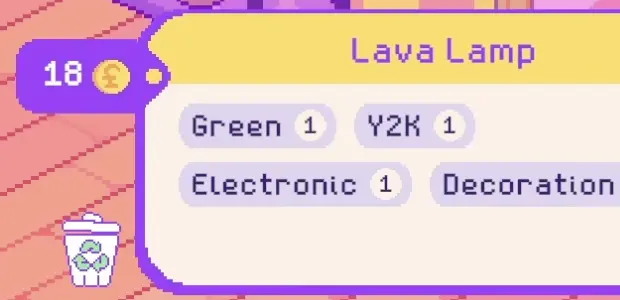
A green lava lamp, green fanny pack, and green toy may all share a color, but they belong to different functional groups. The lava lamp may support a Y2K or decoration section. The fanny pack belongs better with bags or accessories. The toy belongs with toys.
Use this priority:
- function or item type
- request relevance
- theme or vibe
- furniture type
- color
This makes your shop easier to expand. If you sort only by color, every new box forces you to rethink the whole layout. If you sort by function first, new items usually have an obvious home.
Use the Right Furniture
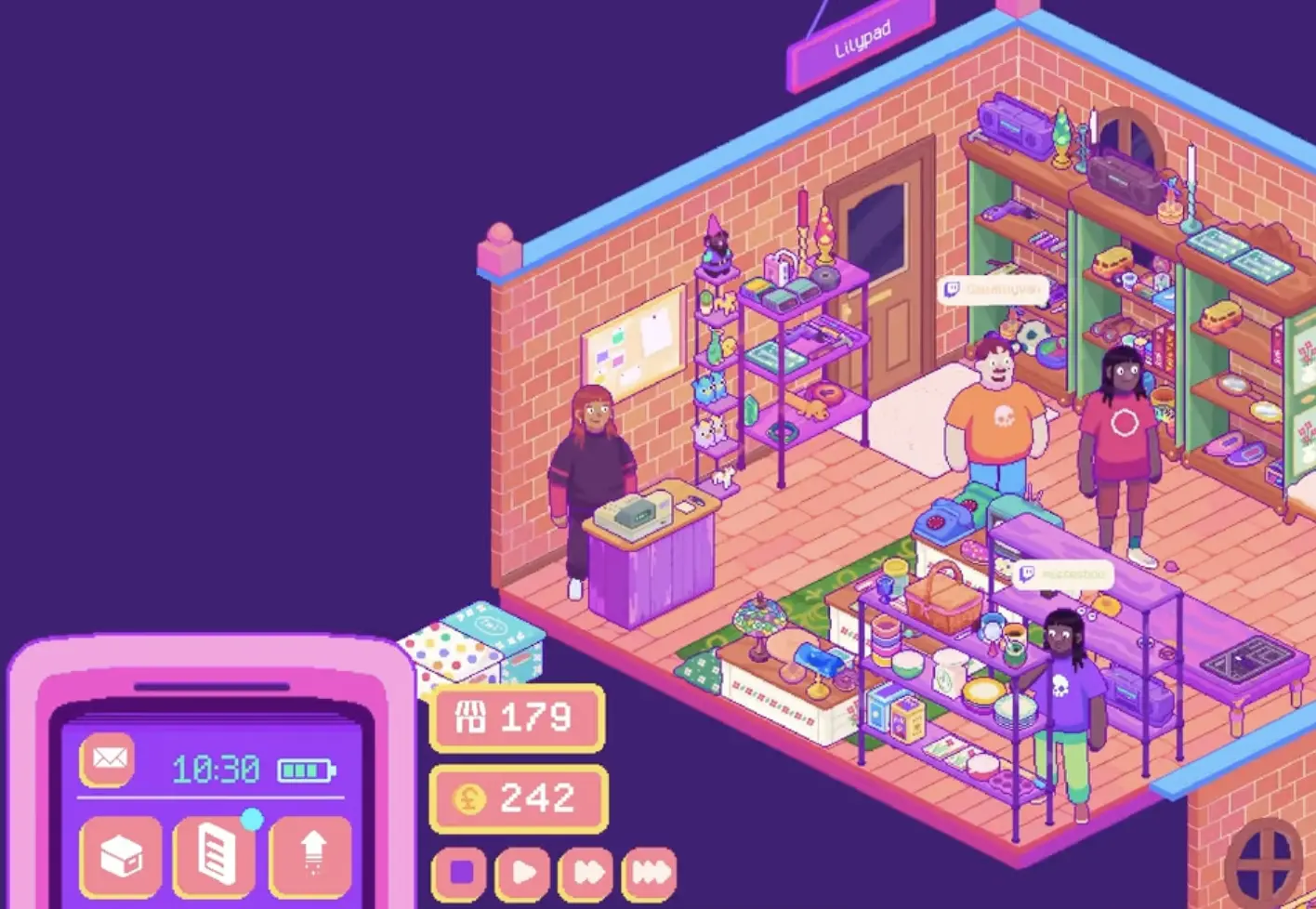
Good organization depends on furniture as much as item tags.
| Furniture | Best for | Why it matters |
|---|---|---|
| Shelves | books, toys, small decorations, small electronics, accessories | Best general-purpose display |
| Tables | kitchen tools, crafting items, larger decorations, appliances | Helps with bulky or practical items |
| Clothing rails | dresses, skirts, jackets, shirts, trousers | Keeps clothing from becoming shelf clutter |
| Small shelves | jewelry, candles, tiny toys, small decor | Good for dense small-item sections |
| Floor space | rugs, large decor, big furniture-like items | Keeps oversized items from blocking shelves |
| Themed corners | witchy, Y2K, pet, event, or decoration areas | Makes high-tag clusters easier to read |
If your layout feels bad, buying another box may not help. You may need the right furniture first.
Examples:
- clothing boxes are much better once you have rails
- kitchen boxes are easier to manage with tables
- decoration-heavy shops need shelves and visual spacing
- pet items work better when grouped into one corner
- request items should be placed where the customer can actually find them
Decoration Bonus Explained
Decoration bonus appears on the shop score screen, but the exact scoring threshold is not fully documented yet. The most consistent way to raise it is to place items with Decoration or strong decorative theme tags into clear, readable sections instead of scattering them randomly.
In practice, treat decoration bonus as a reward for decorative items that support the shop layout.
| Good decoration use | Weak decoration use |
|---|---|
| crystals and candles grouped in a witchy corner | one random crystal on every shelf |
| plants and vases grouped in a decoration area | decorations mixed into unrelated kitchen tools |
| rugs or themed objects supporting an event space | decoration blocking useful display room |
| lamps grouped with Y2K or electronic items | lamps placed only because there was empty space |
The safest assumption is:
More decorative-tagged items can help, but they work best when they form a clear section or theme.
So if your decoration bonus is not increasing, do not just drop decorations anywhere. Build a small decoration area, witchy corner, plant/vase shelf, Y2K decor shelf, or event space, then check whether the score improves.
Beginner Layout Plan
Use this if your shop is still small.
| Zone | Items |
|---|---|
| Front shelf | small popular items or request items |
| Left shelf | kitchen and household |
| Right shelf | toys and small decorations |
| Clothing rail | all clothing |
| Table | larger kitchen, crafting, or appliance items |
| Corner | pets, bags, or one active request category |
This layout gives every new item a likely home. It also keeps request items from disappearing into random clutter.
Mid-Game Layout Plan
Use this once you have more furniture or a shop extension.
| Zone | Items |
|---|---|
| Room or wall 1 | clothing, bags, accessories |
| Room or wall 2 | kitchen, household, appliances |
| Shelf section | books, toys, electronics |
| Table area | larger items and crafting tools |
| Decoration corner | plants, vases, candles, crystals |
| Event area | open walking space plus themed decor |
| Small request area | active request items that are waiting for customers |
The goal is not to create a perfect store. The goal is to stop every category from fighting for the same shelf.
Organizing Request Items
Request items should be visible and placed in a section that makes sense.
| Request item | Good placement |
|---|---|
| Sewing machine | crafting or household area |
| Microwave | kitchen, appliance, or household area |
| Dog bed | pet corner |
| Backpack | bag or accessory section |
| Skirt | clothing rail |
| Rolling pin | kitchen or baking area |
| Camera lens | electronic, outdoor, or camera-related section |
| Green vase | decoration or ceramic section |
If the item was hard to find, avoid hiding it behind unrelated clutter. For more request details, read the Customer Requests Guide.
When to Buy More Furniture or Expand
Buy furniture when your current layout has a specific problem.
| Problem | Better purchase |
|---|---|
| clothes have nowhere to go | clothing rail |
| kitchen items are crowded | table or extra shelf |
| tiny items are scattered | small shelf |
| large items are awkward | table or floor-space-friendly display |
| decorations are mixed everywhere | dedicated decoration shelf or corner |
| categories are fighting for space | expansion, if you can afford furniture afterward |
Expansion is useful when space is the real bottleneck. Do not expand just because the option appears. A bigger empty room does not improve organization unless you have furniture and a layout plan for it.
FAQ
How do I improve shop score in Thrifty Business?
Build clear sections, group items by function or tag, use the right furniture, and add decorations that support the layout.
Should I organize by color?
Use color as a secondary rule. Function, item type, request relevance, and theme usually matter more than color.
What is decoration bonus?
Decoration bonus is part of the shop score screen. The exact threshold is not fully documented yet, but the most reliable way to improve it is to place decorative-tagged items into clear sections, such as a decoration shelf, witchy corner, plant area, Y2K decor section, or event space.
Why do clothes feel hard to organize?
Clothes need clothing rails. If you buy clothing boxes without enough rails, dresses, skirts, and jackets quickly become awkward to place.
Where should I put request items?
Put them in the matching section: microwave with kitchen or household, dog bed with pets, backpack with bags, skirt on a clothing rail, and green vase with decorations or ceramics.
Should I buy more boxes or more furniture?
Buy furniture when useful items are stuck in storage or shelves are overloaded. Buy boxes when you have space and a clear reason, such as a request, event demand, or weak section.
When should I expand my shop?
Expand when your current shop is genuinely limiting layout, events, or request item display, and you can still afford furniture for the new space.
Continue Reading in the Thrifty Business Guide Cluster
This article is part of our Thrifty Business strategy cluster. Use these guides to keep learning the game's core systems and routes.
Find every Thrifty Business customer request item. Learn which boxes to buy for Lillian, Isla, Marc, and others to get the exact items they need.
Items & BoxesThrifty Business Box Guide: Categories, Tags & DropsDiscover the best boxes to buy in Thrifty Business. Learn how item tags work, find customer requests, prepare for events, and manage display space.
Progression GuideThrifty Business: Community Points & Events GuideMaster Thrifty Business! Learn how to earn community points, unlock stamp card rewards, expand your shop, and prepare for high-demand events.