Game Hub
Thrifty Business Beginner Guide & Strategy Hub
Master Thrifty Business with this beginner guide hub. Learn how to fulfill customer requests, choose the best boxes, and improve your shop score.
Thrifty Business is a cozy thrift shop management game about buying secondhand boxes, placing items around your store, completing customer requests, unlocking furniture, and turning a messy shop into a more organized community space.
This hub is the best starting point if you are new. It does not try to be a full wiki. Instead, it points you to the right guide based on the problem you are trying to solve.
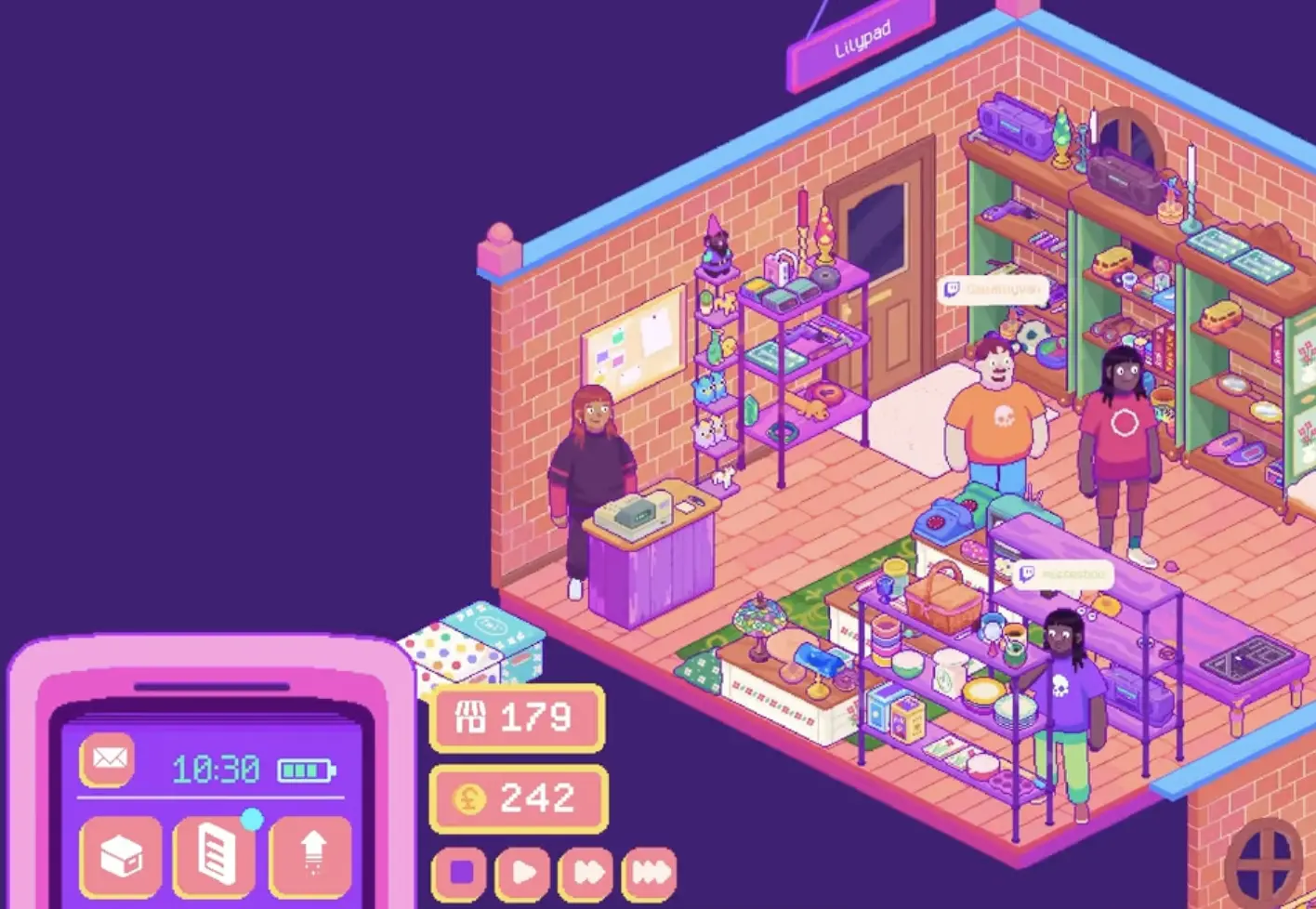
Fast Answer: Where to Go Next
| If you need help with… | Read this guide |
|---|---|
| finding request items like microwave, dog bed, sewing machine, backpack, rolling pin, or green vase | Customer Requests Guide |
| choosing which box to buy, reading item tags, or preparing for event demand | Box Categories Guide |
| understanding community points, stamp cards, expansion, events, or Twitch features | Community Points and Events Guide |
| improving shop score, layout, decoration bonus, furniture use, or item placement | Organization and Shop Score Guide |
Beginner Roadmap
Your first goal is not to make the perfect shop. It is to build a shop that can actually function.
A simple early route looks like this:
- clean the starting shop
- buy basic display furniture
- buy one or two useful boxes
- place items in readable sections
- open the shop and earn money
- check customer requests
- buy boxes that match those requests
- spend community points on useful stamp card unlocks
- expand only when space becomes the real problem
- prepare boxes and layout before events
The most common early mistake is buying too many boxes before you have enough shelves, tables, or clothing rails. Stock is useful only when you can display it.
What to Focus on First
| Early problem | Best first move |
|---|---|
| empty shop | buy basic furniture and one or two cheap boxes |
| too many items in storage | buy shelves, tables, or clothing rails before opening more boxes |
| customer wants a specific item | identify the item type, then buy the closest matching box category |
| shop score feels weak | group items by function first, then theme or color |
| community points feel confusing | treat points as unlock currency, not regular money |
| event is coming up | check the calendar and stock the item genre with increased demand |
Customer Requests
Customer requests are one of the clearest progression goals in Thrifty Business. A character asks for an item, and you need to find it through boxes, place it in the shop, and let the customer buy it.
Use the request guide when you need answers like:
- what does Lillian want?
- where do I find the microwave?
- which box has the dog bed?
- what does Marc request?
- where do I find the green vase?
- what should I do if the item will not drop?
Go to the Customer Requests Guide for the full character request index.
Boxes and Item Tags
Boxes are category-based, but the exact drops are random. The box preview, category name, and item tags are your main clues.
Use the box guide when you need to know:
- which box to buy for a request
- what item tags mean
- whether colors matter
- how to prepare for event demand
- whether to open a box now or save it for later
- how box categories overlap
Go to the Box Categories Guide for the full box strategy.
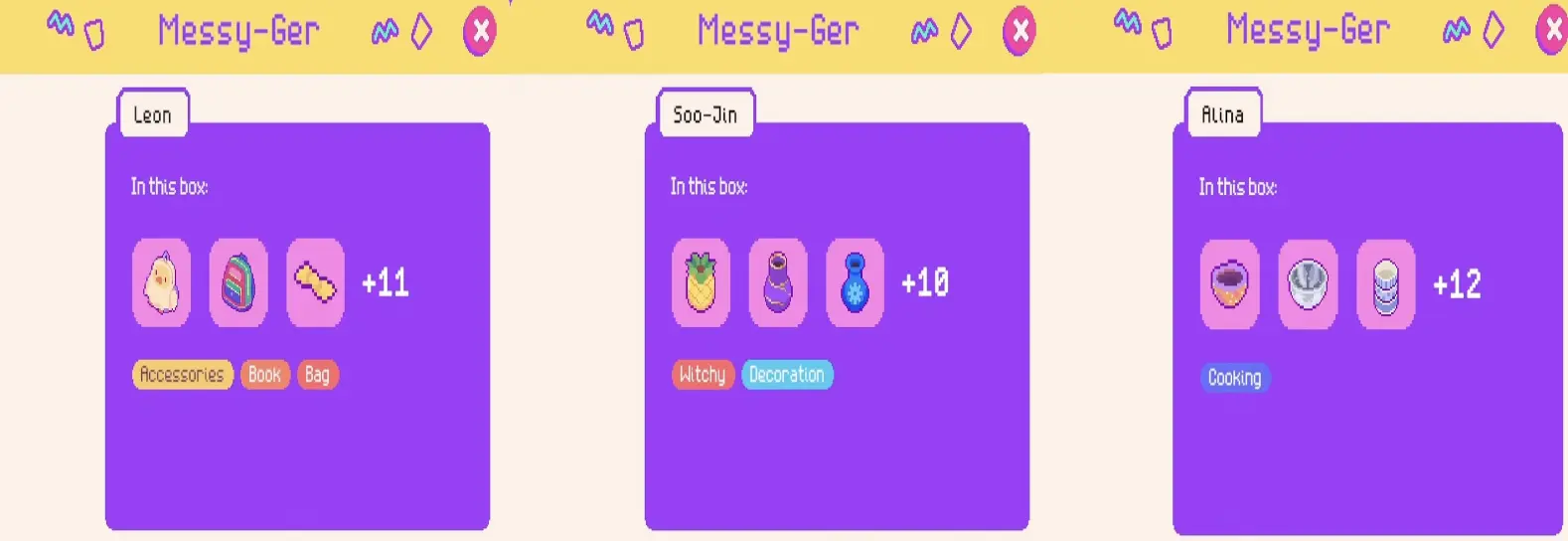
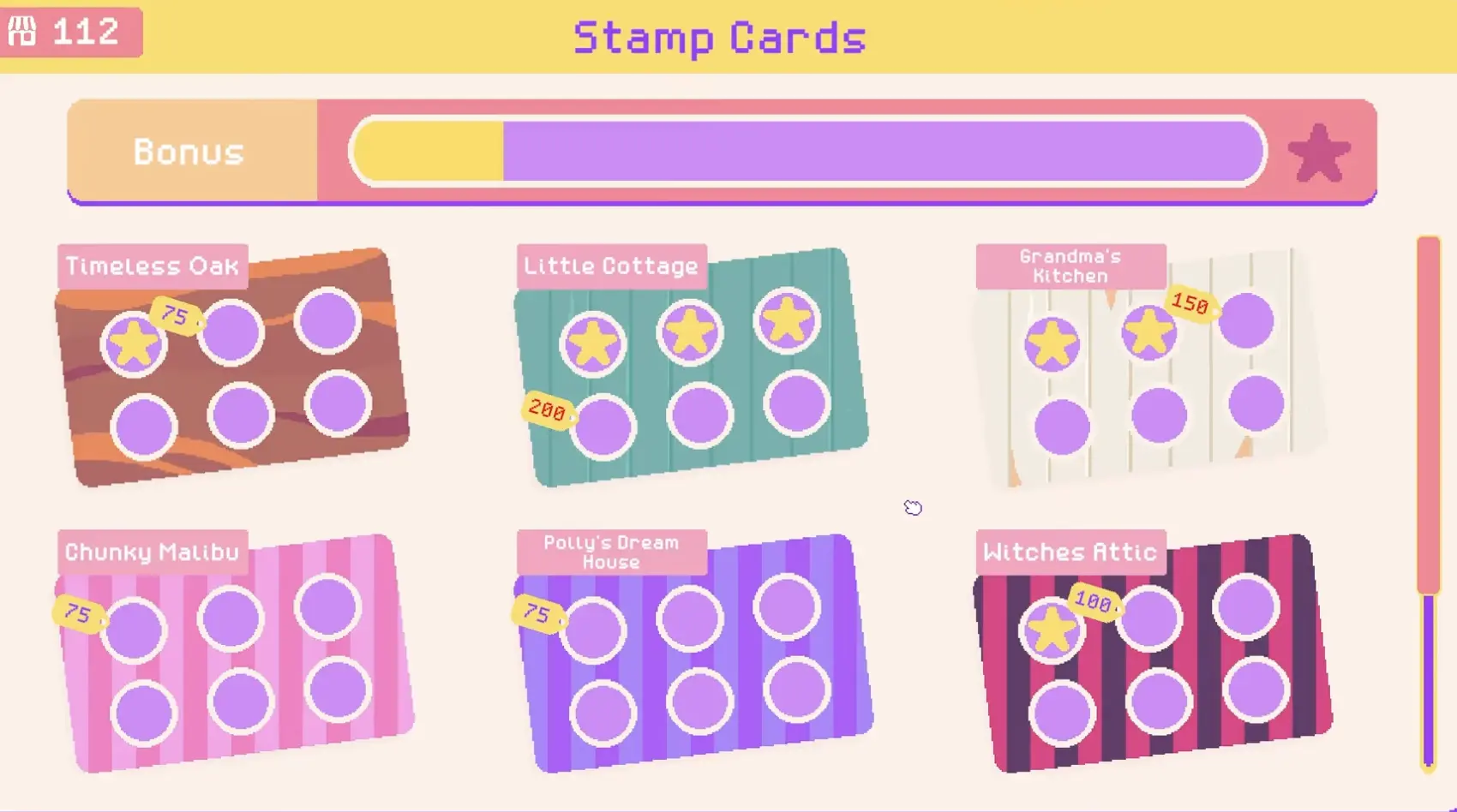
Community Points, Stamp Cards, and Events
Community points are not the same as money. A simple way to think about them is:
Community points unlock shop options. Money buys things.
Stamp cards use community points to unlock furniture, decorations, walls, floors, and themed options. Events can also affect shop planning, especially when the calendar shows increased demand for a specific item genre.
Use the progression guide when you need to know:
- what community points are for
- how stamp cards work
- why an unlock may not instantly appear in your shop
- when to expand
- how events affect box buying
- what Twitch visit, trash, and box donation features add
Go to the Community Points and Events Guide for the full progression breakdown.
Shop Score and Organization
Shop score improves when your store is easier to read and better organized. The most useful layout rule is:
Sort by function first, then use color as a secondary rule.
That means clothing should go on rails, kitchen items should stay near kitchen items, decorations should support clear sections, and request items should be placed where customers can actually find them.
Use the organization guide when you need help with:
- shop score
- decoration bonus
- item placement
- clothing rails
- shelves and tables
- beginner layout ideas
- mid-game layout ideas
- request item placement
Go to the Organization and Shop Score Guide for layout examples and score tips.
Recommended Reading Order
If you are new, use this order:
-
Customer Requests Guide
Use this when a character asks for something specific. -
Box Categories Guide
Use this when you do not know which box can contain the item. -
Community Points and Events Guide
Use this when stamp cards, expansion, events, or Twitch features become relevant. -
Organization and Shop Score Guide
Use this when your shop is full but messy, or when your score feels weak.
FAQ
What should I do first in Thrifty Business?
Clean the shop, buy basic furniture, buy one or two boxes, place items in simple sections, and open the shop. Do not overbuy boxes before you have display space.
How do I find request items?
Read the request, identify the item type, and buy boxes from the closest matching category. For a full character request table, use the Customer Requests Guide.
Are box drops random?
Yes. Boxes are category-based, but exact items are random. The preview and item tags help you choose smarter boxes.
What are community points for?
Community points are mainly used on stamp cards to unlock shop options such as furniture, decorations, walls, floors, and themes.
When should I expand the shop?
Expand when space is actually limiting your layout, request item display, or event setup. Do not expand if you cannot afford furniture for the new area.
How do I improve shop score?
Group items into clear sections, use the right furniture, add decorations that support those sections, and avoid sorting only by color.
Do I need Twitch integration?
No. Twitch features are optional. They are useful for streamers because viewers can visit, donate boxes, and drop trash, but they are not required for normal progression.
Thrifty Business Guide Cluster
Explore the main Thrifty Business guides, from beginner strategy to builds, tiles, Gambits, bosses, and first-win routes.
Find every Thrifty Business customer request item. Learn which boxes to buy for Lillian, Isla, Marc, and others to get the exact items they need.
Items & BoxesThrifty Business Box Guide: Categories, Tags & DropsDiscover the best boxes to buy in Thrifty Business. Learn how item tags work, find customer requests, prepare for events, and manage display space.
Progression GuideThrifty Business: Community Points & Events GuideMaster Thrifty Business! Learn how to earn community points, unlock stamp card rewards, expand your shop, and prepare for high-demand events.
Shop LayoutThrifty Business Organization & Shop Score GuideMaster shop layout in Thrifty Business. Learn how to group items by function, increase your shop score, manage furniture, and boost decoration.