Thrifty Business Guide
Thrifty Business Box Guide: Categories, Tags & Drops
Discover the best boxes to buy in Thrifty Business. Learn how item tags work, find customer requests, prepare for events, and manage display space.
If you are stuck in Thrifty Business, it is usually because you do not know which box can contain the item you need.
Use this guide when you are trying to answer one of these questions:
- Which box should I buy for a customer request?
- What do item tags like Kitchen, Y2K, Electronic, or Decoration mean?
- Should I buy boxes for tomorrow’s event demand?
- Do item colors need to match exactly?
- Should I open a box now or save it for later?
For specific customer request items, read the Customer Requests Guide.
For shop layout and score, read the Organization and Shop Score Guide.
Fast Answer
| Problem | What to do |
|---|---|
| You need a request item | Buy the closest matching category, then try related categories if it does not drop. |
| You see several boxes in the app | Use the preview first, then check whether the category matches a request, event, or shop section. |
| You have no shelf space | Buy the box only if needed, but do not take items out until you have display space. |
| You see tomorrow’s event demand | Buy boxes in that genre before the event day, then display those items. |
| You do not understand tags | Tags describe category, theme, color, or function. Category and function usually matter most. |
| The requested item is the wrong color | Keep it. A different color version of the correct item can still work. |
| You want better shop score | Buy boxes that strengthen categories already scoring well, such as Kitchen, Toy, Decoration, or Household. |
How Boxes Work
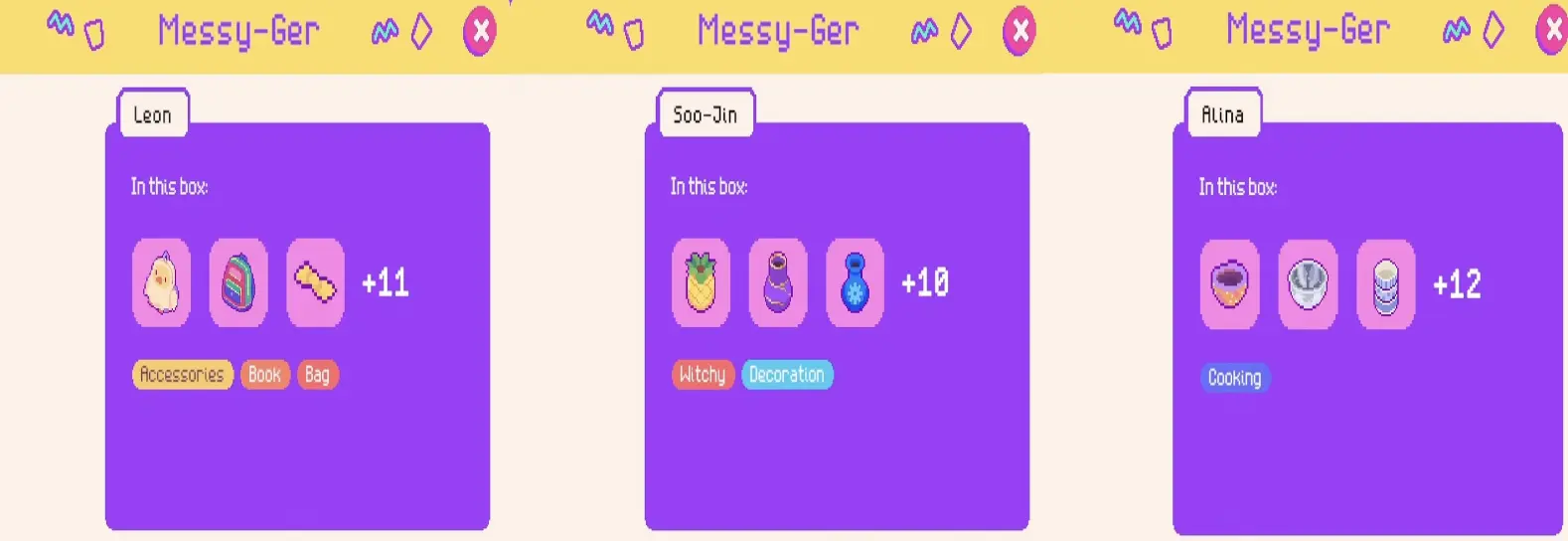
Boxes are category-based stock bundles. The box app shows daily offers, a few preview items, and category labels before you buy.
A box does not guarantee one exact item. It gives you a better chance at a type of item. If a customer wants a pet item, pet boxes are the best starting point, but you may still need more than one box.
You also do not need to empty every box immediately. If your shelves, tables, or clothing rails are full, you can leave a box unopened and take items out later when you have space. This is important because pulling items out too early can turn your shop into storage clutter instead of a sellable layout.
A good early routine is:
- check active requests
- check tomorrow’s event demand
- check box previews
- buy the most relevant box
- open it only when you can display the items
How to Read Item Tags
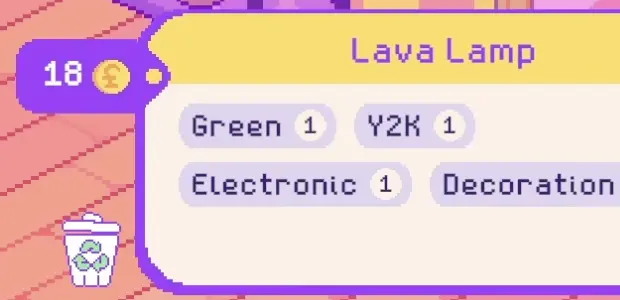
Item tags explain what an item is and where it probably belongs.
| Tag type | Examples | How to use it |
|---|---|---|
| Category | Kitchen, Electronic, Bag, Toy, Household | Best clue for request items and box choice |
| Function | Decoration, Accessories, Ceramic, Pet | Helps decide shelf, table, rail, or section placement |
| Theme | Y2K, Witchy, Queer, Vintage | Useful for themed areas and event prep |
| Color | Green, Blue, Purple, Yellow, Multicolor | Useful as a secondary sorting rule |
Use this priority when making decisions:
- requested item type
- box category or function
- event demand
- theme
- color
Color is useful, but it is not usually the first rule. If a customer wants a specific object, finding that object matters more than waiting for the perfect color.
Multi-Tag Item Examples
Many items have several tags. That makes them flexible, because they can support more than one shop section.
| Item | Tags shown | Best section to place it |
|---|---|---|
| Plastic Bowls | Kitchen, Multicolor | Kitchen shelf |
| 90s Blanket | Household, Multicolor | Household or cozy area |
| Quartz Crystal | Witchy, Blue, Decoration | Witchy decoration area |
| Crystal Ball | Witchy, Purple, Decoration | Witchy decoration area |
| Industrial Lamp | Blue, Electronic, Decoration | Electronic shelf or decoration section |
| Watch | Electronic, Y2K, Accessories, White | Accessories, Y2K, or electronics |
| Burby | Green, Y2K, Electronic, Toy | Toy shelf, Y2K section, or electronics |
| Lava Lamp | Green, Y2K, Electronic, Decoration | Y2K corner or decoration area |
| Pineapple Vase | Ceramic, Yellow, Decoration | Ceramic or decoration shelf |
| UFO Plant | Blue, Green, Decoration | Decoration or color-themed area |
| Retro Fanny Pack | Green, Y2K, Queer, Bag | Bag display, Y2K section, or queer-themed area |
The best placement is not always the first tag. Put the item where it helps your current shop most. For example, a Lava Lamp can support a Y2K section, an electronic shelf, or a decoration area.
Box Category to Request Use Cases
When you are looking at the box app, you usually know the box category before you know the exact item. Use this table from that angle: “If I buy this category, what request or section could it help?”
| Box category | Possible request items or useful stock | Best reason to buy it |
|---|---|---|
| Pet | dog bed, dog bone, chew toy, collar, pet bowl, pet blanket | You have a pet-related request or want a pet section |
| Cooking / Kitchen | rolling pin, pan, bowls, mixer, kitchen tools | You need cooking tools or want a kitchen section |
| Household | microwave, blanket, home goods, practical objects | You need home equipment, appliances, or household stock |
| Crafting | sewing machine, wool, cutting mat, glue gun, tools | You need sewing, repair, or craft-like items |
| Clothing | skirts, dresses, shirts, jackets, trousers | You have clothing rails and need outfit stock |
| Bag / Accessories | backpack, fanny pack, clutch, purse, camera strap, jewelry | You need bags, accessories, or wearable items |
| Electronic | lamps, phones, cassette recorder, VHS, camera-related items | You need tech, media, Y2K, or electronic stock |
| Media / Y2K | VHS, cassette recorder, old tech, retro toys, lava lamp | You want retro, Y2K, or media-themed stock |
| Decoration | vase, lamp, plant, crystal, candle, decorative objects | You want decoration score, event presentation, or theme pieces |
| Witchy | crystal ball, quartz crystal, candles, spooky decor | You want witchy decorations or occult-themed stock |
| Vintage | backpack, clothing, old tech, retro decor | You need older-style items or vintage-looking requests |
| Outdoor / Camping | camera lens, tent, hiking rope, outdoor gear | You need outdoor, photography, or camping-related items |
This is not a guaranteed drop table. It is a buying guide. For exact item locations and request examples, use the Customer Requests Guide.
How Event Demand Changes Box Strategy
Events can increase demand for a specific item genre. The calendar can show the boosted genre the day before, which means you can prepare stock in advance.
Use this event routine:
- Check the calendar before the event day.
- Look for the boosted genre.
- Buy boxes that match that genre.
- Keep the boxes unopened if you do not have space yet.
- Display the event-demand items before opening for the event.
For example, if the calendar points toward pet demand, pet boxes become more valuable before the event. If it points toward a fashion or style category, clothing, accessories, or theme boxes become better buys.
This is one of the best reasons to buy a box even if you do not need it for a customer request right now.
For more event progression details, read the Community Points and Events Guide.
Best Boxes to Buy Early
The best early box is the one that solves your current bottleneck.
| Situation | Better box choice |
|---|---|
| empty shop | cheap or free boxes |
| active pet request | Pet |
| active kitchen or cooking request | Cooking, Kitchen, Household |
| active microwave request | Household first, then related appliance categories |
| active sewing request | Crafting, Household |
| active clothing request | Clothing, Vintage, Queer, Y2K |
| active backpack or bag request | Bag, Accessories, Vintage, Y2K |
| event demand tomorrow | matching category shown on the calendar |
| weak shop score | boxes that support strong organized sections |
| no display space | buy only if needed, then keep the box unopened until you have room |
Cheap boxes are good on day one. After that, buy for a reason: request, event, section, or score.
Buying Boxes for Shop Score
Boxes also help your shop score when they strengthen organized categories.
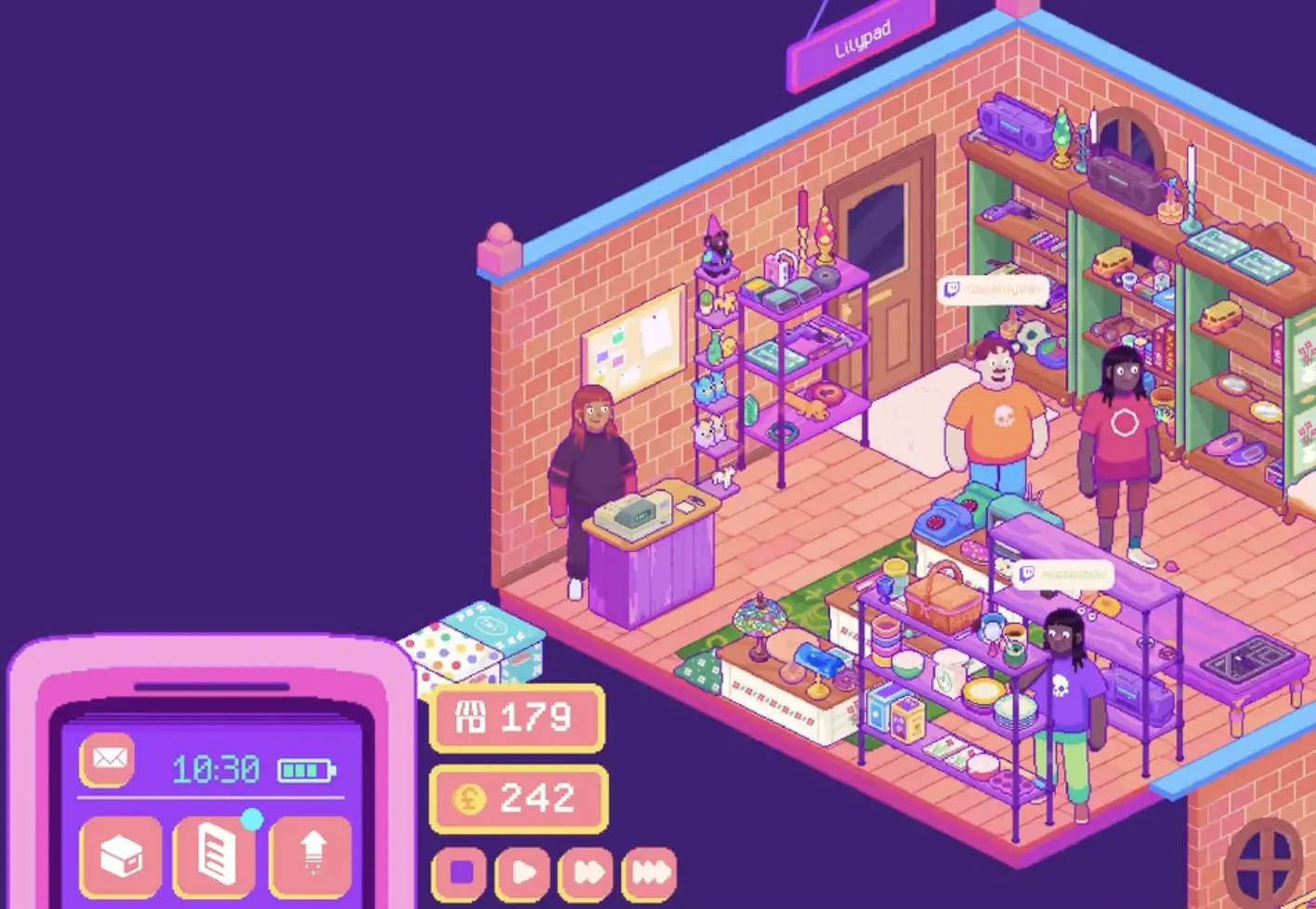
If your score screen already shows strong categories like Toy, Household, Decoration, Green, or Kitchen, you can buy boxes that reinforce those categories.
| Strong category | Useful box direction |
|---|---|
| Kitchen | Cooking, Kitchen, Household |
| Decoration | Decoration, Witchy, Ceramic, Y2K |
| Toy | Toy, Y2K, Pet |
| Household | Household, Kitchen, Crafting |
| Y2K | Y2K, Electronic, Toy, Accessories |
| Witchy | Witchy, Decoration |
Use color as a bonus, not the foundation. A green item is more useful when it also supports a real section.
FAQ
Are box drops random in Thrifty Business?
Yes. Boxes are category-based, but exact items are random. A category improves your chances of finding a type of item, but it does not guarantee one specific item.
Can I buy a box and open it later?
Yes. If your display space is full, you can keep a box unopened and take items out later. This is often better than dumping items into a crowded shop.
What do item tags mean?
Tags describe an item’s category, function, theme, or color. They help you choose boxes and organize your shop.
Do request item colors need to match exactly?
Usually no. If the item itself is correct, a different color version can still work. Focus on the requested object first.
How do events affect box buying?
Events can increase demand for a specific item genre. Check the calendar the day before, then buy boxes that match the boosted category.
Where can I find specific request items?
Use the Customer Requests Guide for item-specific help, such as microwave, dog bed, sewing machine, backpack, rolling pin, or camera lens.
Should I organize by color?
Use color as a secondary rule. Item type, function, request relevance, and event demand matter more.
What is the best box to buy first?
On the first day, a cheap or free box is fine. After that, buy boxes that match requests, event demand, or a section you can actually display.
Continue Reading in the Thrifty Business Guide Cluster
This article is part of our Thrifty Business strategy cluster. Use these guides to keep learning the game's core systems and routes.
Find every Thrifty Business customer request item. Learn which boxes to buy for Lillian, Isla, Marc, and others to get the exact items they need.
Progression GuideThrifty Business: Community Points & Events GuideMaster Thrifty Business! Learn how to earn community points, unlock stamp card rewards, expand your shop, and prepare for high-demand events.
Shop LayoutThrifty Business Organization & Shop Score GuideMaster shop layout in Thrifty Business. Learn how to group items by function, increase your shop score, manage furniture, and boost decoration.