Space Haven Guide
Fix Space Haven Blackouts: 1.0 Power & Threshold Guide
Running out of power in Space Haven 1.0? Learn how to fix blackouts, set generator threshold links, manage power nodes, and produce energy rods.
Power problems in Space Haven 1.0 usually look simple: the lights go out, a machine stops, or the ship cannot support another room.
The real cause is often deeper.
A blackout can come from missing fuel, bad logistics, a facility outside the power grid, too many active machines at once, a generator threshold that is not triggering, or a misunderstood Power Node setup.
The safest way to fix power is to diagnose the chain:
Fuel → generator → grid → capacity buffer → active load → logistics → emergency recovery.
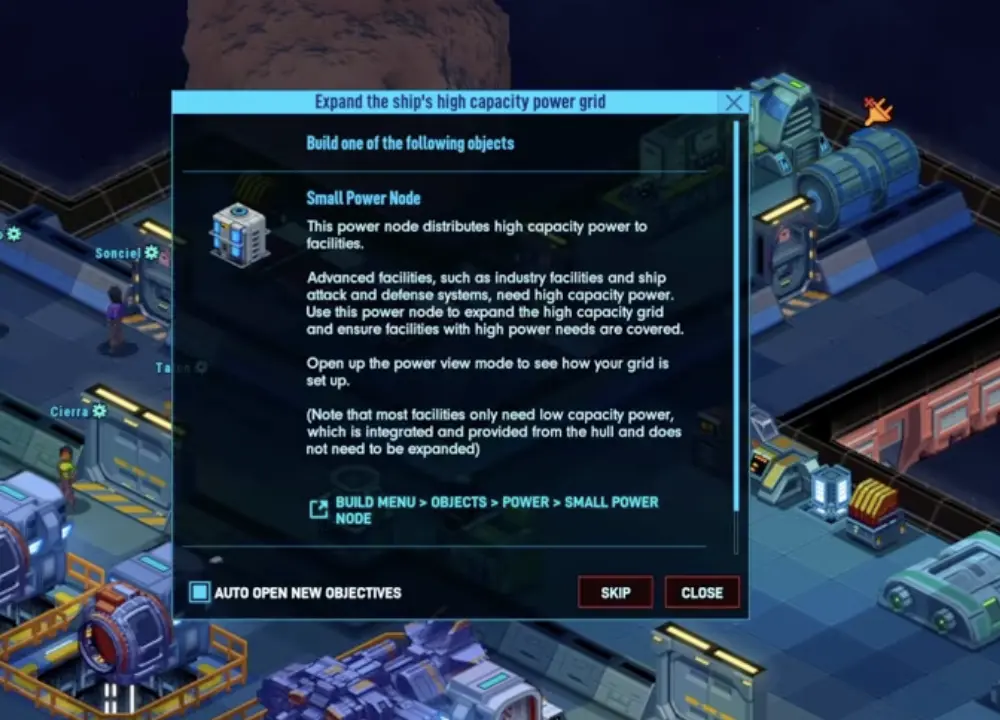
If a facility says it is not on the high-capacity grid, do not cover the whole ship with nodes. Fix the specific room or system that needs the connection.
Fast Answer
| Player question | Short answer |
|---|---|
| Why is my ship losing power? | Check generator fuel first, then grid coverage, active machine load, and logistics delivery. |
| Do I need Power Nodes everywhere? | No. In 1.0, place Power Nodes where systems actually need grid support, especially production, engines, and combat systems. |
| What does a Power Capacity Node do? | It acts as a buffer for power spikes when machines, engines, or defense systems turn active. |
| How do I save Energium? | Use solar support and generator threshold links so generators do not burn fuel when stored power is healthy. |
| What if I run out of Energy Rods? | Pause non-essential machines, refine Energium, recycle power scrap, trade, dismantle only as a last resort, or jump to a better sector. |
| Why does power fail only when machines start? | Active facilities draw more power than idle facilities. Recycler, refinery, engines, and thermal regulators can spike demand. |
| Why do solar panels look like they stopped? | Stored power may be full, output may be averaged, or solar may simply be too weak for the current load. |
| What should I turn off during a blackout? | Pause non-essential production first: Recycler, refinery, manufacturing, extra services, and comfort loads. |
Blackout Triage: What the Symptom Means
Use this table when you are looking at a specific power symptom and need to identify the system behind it.
| What you see | What it usually means | Where to look |
|---|---|---|
| Entire ship goes dark | Fuel, generator, or global load failure | Generator fuel, Energy Rods, active machines |
| One room or machine has no power | Local grid or node coverage problem | Power Node range, high-capacity grid warning |
| Power flickers when production starts | Demand spike, not constant shortage | Power Capacity Node, active load, production schedule |
| Generator burns fuel nonstop | Generator is carrying too much base load | Threshold link, solar support, non-essential machines |
| Generator never starts | Threshold is too low or linked wrong | Generator threshold link settings |
| Solar panel output looks low | Stored power may be full or output is averaged | Stored capacity, conduit, current load |
| Thermal Regulators drain power | Room is too large or temperature pressure is high | Room size, doors, regulators, greenhouse/industry split |
| Engines or hyperdrive will not charge | High-load system lacks support | Grid connection, capacity, generator output |
| Crew own fuel but generator stays empty | Logistics chain failed | Fuel storage, hauler priority, storage filters |
| Energy Rods are gone | Recovery path failed | Energy Refinery, Recycler, trade, emergency dismantle |
The goal is to identify which layer failed: fuel, grid, capacity, active load, threshold control, or logistics. Once you know the layer, use the matching section below.
Power Node Rule for 1.0
Old Space Haven guides can make new players overbuild Power Nodes.
In 1.0, do not treat Power Nodes like wallpaper. You do not need to cover every room just because older tutorials did. Focus Power Nodes on systems that actually need high-capacity support or grid connection.
Power Nodes matter most for systems like:
| System | Why it matters |
|---|---|
| Production / manufacturing | Many machines need proper grid support. |
| Engines / hyperdrives | Propulsion systems can require high-capacity support. |
| Turrets / combat systems | Defense systems should be connected and reliable. |
| Power-heavy rooms | Industry blocks, engine rooms, and defense rooms create heavier demand. |
| Objects with high-capacity warnings | The game is telling you this specific system needs support. |
If a basic room works and gives no warning, do not spend resources covering it with extra nodes.
Normal Power Node vs Power Capacity Node
Do not confuse a Power Node with a Power Capacity Node.
They solve different problems.
| Object | Main job | Use when |
|---|---|---|
| Power Node | Connects or extends power coverage / high-capacity support. | A facility is outside the needed grid or says it is not connected. |
| Power Capacity Node | Acts like a power buffer / battery for demand spikes. | Power flickers during active production, engine use, combat, or thermal load. |
A Power Capacity Node does not replace fuel. It gives the system room to absorb short spikes.
Use it near:
- production rooms
- engine / hyperdrive blocks
- defense systems
- rooms with several machines that start and stop
- areas that flicker when facilities turn active
If your ship has enough generator output but still flickers when machines start, the missing piece may be capacity, not more nodes.
Generator Threshold Link
A generator does not always need to run at full demand if stored power is healthy.
The useful trick is to set up a threshold link so the generator activates only when stored power drops below a chosen level. This saves Energium / Energy Rods because the generator is not burning fuel while solar or stored capacity can carry the ship.
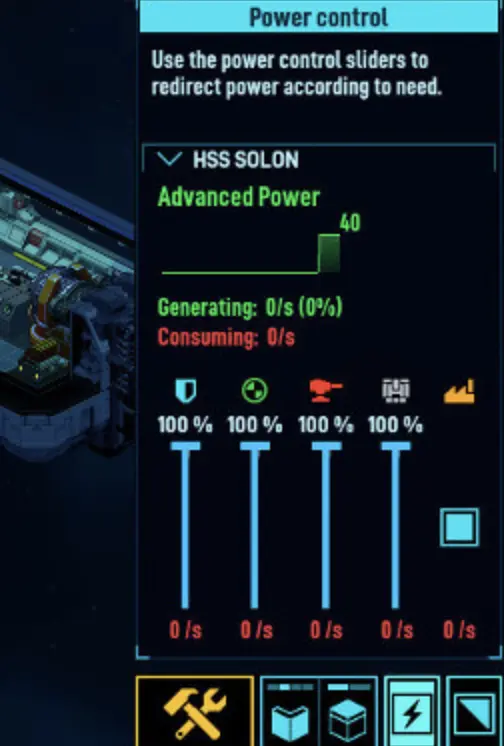
Use threshold logic like this:
| Setup | What it does |
|---|---|
| High threshold | Generator turns on earlier, safer but uses more fuel. |
| Low threshold | Generator waits longer, saves fuel but risks brownouts. |
| Solar + threshold | Solar handles light load; generator starts when storage drops. |
| Capacity node + threshold | Capacity absorbs spikes before generator kicks in. |
| Industry threshold | Generator starts when production demand drains stored power. |
For beginners, start conservative. Use a threshold that keeps life support safe. Do not chase perfect fuel savings if oxygen, temperature, or engines are unstable.
When Threshold Links Go Wrong
| Problem | Likely cause | Fix |
|---|---|---|
| Generator never starts | Threshold too low or wrong link target | Raise threshold and re-check link. |
| Generator runs forever | Threshold too high or load never stabilizes | Lower threshold or reduce active load. |
| Power flickers before generator starts | Not enough capacity buffer | Add Power Capacity Node or raise threshold. |
| Solar does not reduce fuel use | Generator threshold not set correctly | Let stored power drop before generator activates. |
| Life support browns out | Threshold too aggressive | Prioritize safety over fuel saving. |
A threshold link is a fuel-saving tool, not an excuse to underbuild power.
Emergency Energy Rod Recovery
If Energy Rods are gone, stop everything non-essential and recover fuel.
Do not wait until oxygen, temperature, food, and engines all fail at once.
Use these recovery paths:
| Recovery path | Use when | What to do |
|---|---|---|
| Energium → Energy Refinery | You have Energium but no rods | Prioritize Energy Refinery production and logistics. |
| Power Scrap → Recycler | You have scrap but no fuel stock | Recycle power-related scrap into usable energy materials. |
| Dismantle non-critical systems | You need emergency resources | Dismantle or deconstruct non-essential power/fuel sources if they return useful materials. |
| Trade | A ship arrives and you have credits or goods | Buy Energy Rods, Energium, or power resources immediately. |
| Jump to resource sector | Current sector is dry | Leave before food, water, and power all collapse. |
Some players use emergency dismantling, including non-critical Hypersleep Pods or other stored systems, to recover power-related materials in a crisis. Treat this as a last resort. Check what the game will return before dismantling anything important.
Blackout Emergency Order
When power is failing:
- Pause the game.
- Turn off non-essential production.
- Check generator fuel.
- Assign logistics to fuel delivery.
- Check Energy Refinery / Recycler recovery path.
- Disconnect or disable non-critical rooms.
- Trade or jump if the sector cannot save you.
- Restore life support before restarting industry.
Life support, med bay, engines, and basic food/water systems matter more than a running Recycler during a blackout.
Active vs Idle Power Draw
Facilities do not always consume power the same way.
A machine that is idle may use little or no meaningful load compared to the same machine actively processing. This is why power may look stable for hours, then collapse when Recycler, refineries, kitchen, water purifier, engines, and thermal regulators start working at the same time.
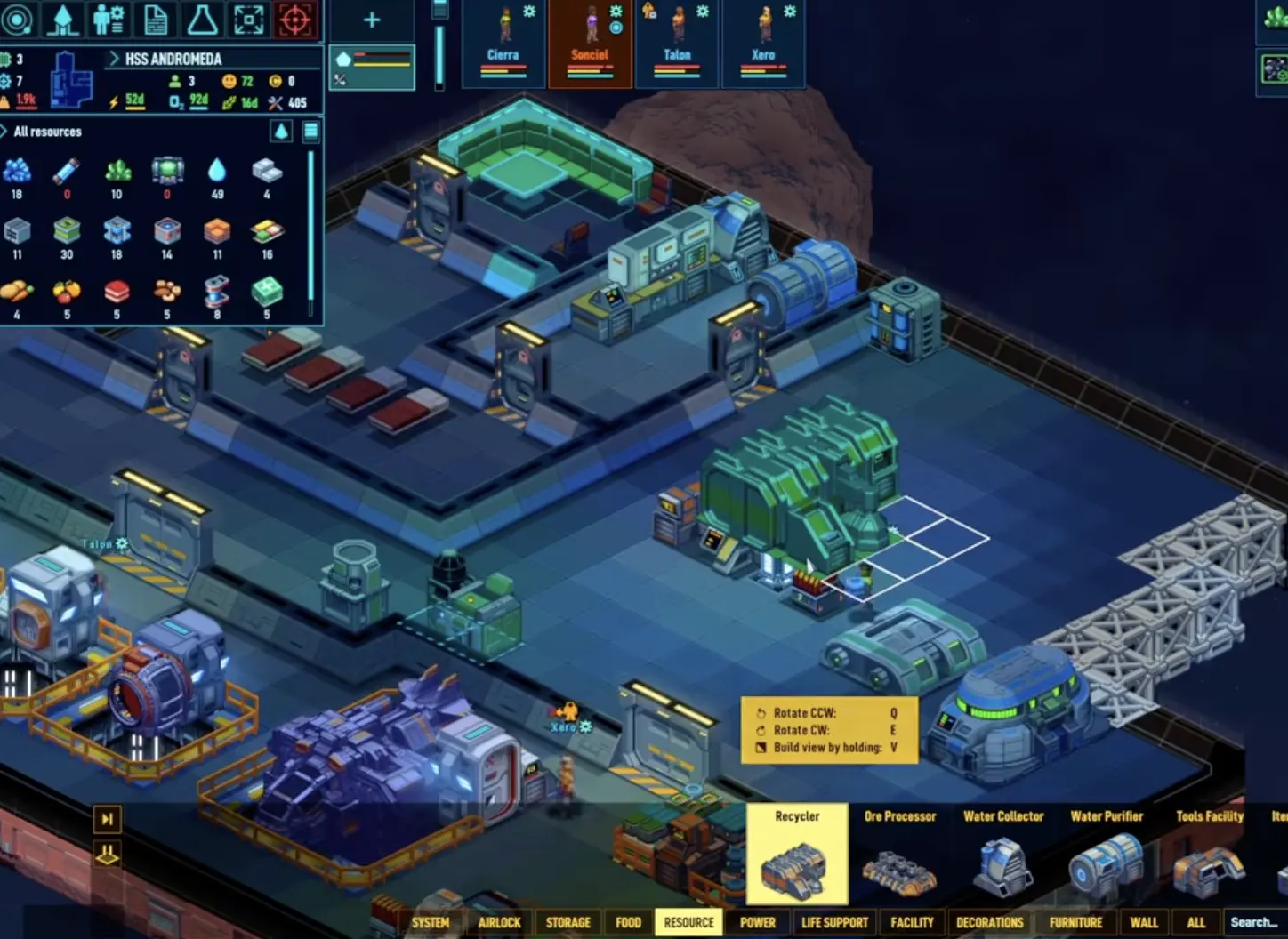
Think of power in two layers:
| Load type | Examples | How to manage |
|---|---|---|
| Base load | Life support, lights, basic systems | Keep stable at all times. |
| Active load | Recycler, refinery, production, engines, water purifier, combat systems | Stagger or pause during shortages. |
| Environmental load | Thermal Regulators under heavy temperature pressure | Split rooms and reduce extreme temperature work. |
| Peak load | Multiple machines starting together | Add Power Capacity Nodes and threshold logic. |
If power drops only when production starts, you may not need a bigger permanent grid. You may need capacity buffer, better thresholds, or fewer machines running at once.
Why Turning Off Recycler Can Save a Run
Recycler is important, but it is not always urgent.
During a blackout, pause:
- Recycler
- refinery
- non-critical manufacturing
- extra kitchen production
- water purification above emergency stock
- comfort items if they consume power
- non-essential station services
Then restore power, recover fuel, and restart production one system at a time.
Solar Panels: Why They Look Like They Stop Working
Solar panels are support power, not a magic replacement for generators.
They are useful because they reduce fuel burn when conditions are good, but they may appear to “stop” when stored power or capacity is full. The UI can also show average generation, which makes normal on/off behavior look confusing.
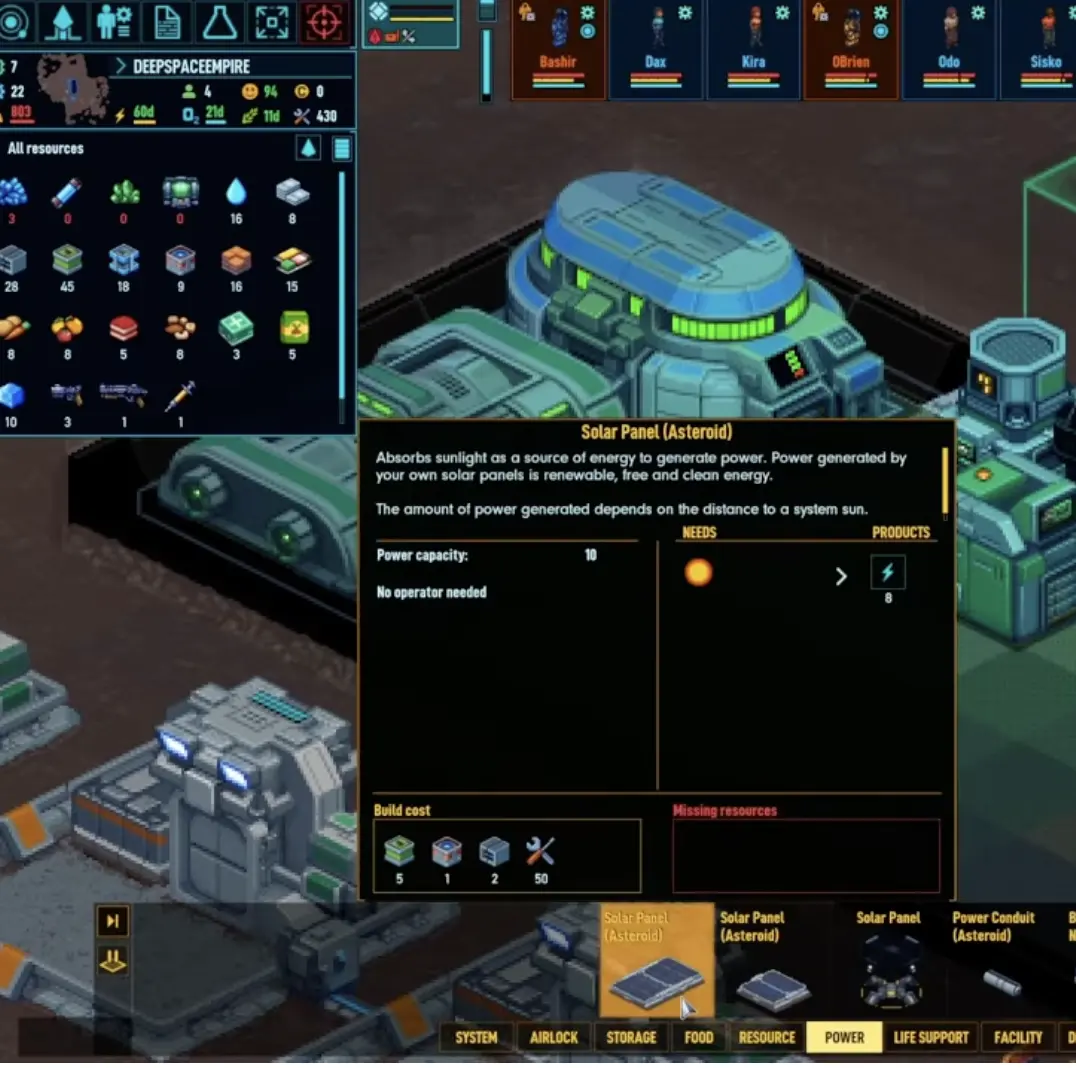
If solar looks broken, check:
| Check | Explanation |
|---|---|
| Stored power is full | Solar may stop because there is nowhere for power to go. |
| Average output is low | The UI may be smoothing production over time. |
| Panels are not connected | Check conduit / grid connection. |
| Load is higher than solar output | Solar is helping but cannot carry the whole ship. |
| Generator always runs first | Threshold logic may be wrong. |
Use solar to reduce fuel pressure. Do not expect it to power heavy industry, engines, and defense by itself.
Disconnect or Disable Non-Essential Areas
In an emergency, you do not need every room powered.
If your grid is collapsing, cut load before life support fails.
| Non-essential load | Emergency action |
|---|---|
| Extra industry room | Disable machines or disconnect power. |
| Guest / visitor area | Turn off services until stable. |
| Extra comfort room | Disable powered leisure items. |
| Second greenhouse | Pause some grow beds if water/power is collapsing. |
| Manufacturing chain | Stop everything except the fuel recovery path. |
| Unused ship section | Disconnect or power down until resources recover. |
Do this carefully. Do not cut oxygen, med bay, critical food, temperature control, or engines if you need to escape.
The point is not to make the ship comfortable during a crisis. The point is to keep it alive.
Logistics Can Break Power
A generator with fuel sitting five rooms away can still fail.
Fuel must reach the generator. If logistics are overloaded, sleeping, drafted, injured, or blocked by storage rules, the power system can collapse even though you technically own the fuel.
Check:
| Problem | Fix |
|---|---|
| Fuel storage too far away | Move fuel / energy storage near generators. |
| No hauler available | Assign a logistics worker. |
| Crew drafted after combat | Undraft and recover. |
| Storage filter blocks fuel | Allow the right item in the right storage. |
| Industry consumes logistics time | Separate hauling from industry work. |
| Fuel is on another ship | Check fleet transfer and allowed work areas. |
If the generator is empty but fuel exists, this is not a power problem. It is a logistics problem.
For deeper logistics fixes, use the Crew Idle Fix Guide.
Power Build Progression
Use this progression instead of building random nodes and generators.
| Stage | Power goal | What to build / manage |
|---|---|---|
| Early survival | Keep life support and basic food running | Generator, fuel storage, targeted Power Nodes. |
| Early industry | Support Recycler, water purifier, refinery | Place nodes only where needed; watch active load. |
| Stable ship | Reduce fuel burn | Add solar support and threshold logic. |
| Mid-game production | Handle demand spikes | Add Power Capacity Nodes near industry/engines/defense. |
| Combat / engines | Keep high-load systems reliable | Support turrets, shields, engines, and command systems. |
| Fleet / station | Separate power zones | Split critical and non-critical loads. |
A good power setup is not one giant grid with nodes everywhere. It is a planned system with fuel, capacity, thresholds, and emergency shutoff options.
Common Power Mistakes
| Mistake | Why it hurts | Fix |
|---|---|---|
| Spamming Power Nodes everywhere | Wastes resources in 1.0. | Build nodes where the facility needs them. |
| Ignoring Power Capacity Nodes | Demand spikes cause flicker. | Add capacity near industry, engines, and defense. |
| No threshold link | Generator burns fuel constantly. | Use threshold logic once basics are stable. |
| Running all machines during blackout | Active load kills the grid. | Pause non-essential production. |
| Trusting solar as main power | Solar cannot carry heavy load alone. | Use solar as support, with generator backup. |
| Fuel stored too far away | Generator starves despite fuel existing. | Put fuel near generators and assign logistics. |
| Staying in a dry sector | No resource recovery path. | Trade or jump before the run collapses. |
| Overheating huge rooms | Thermal Regulators work too hard. | Split rooms and add thermal support. |
FAQ
Do I need Power Nodes everywhere in Space Haven 1.0?
No. Use Power Nodes where systems actually need coverage or high-capacity support. Do not blanket the whole ship just because old guides recommend it.
What does a Power Capacity Node do?
It acts as a power buffer for demand spikes. Use it near industry, engines, defense, or other areas where power flickers when machines turn active.
How do generator threshold links save fuel?
They let a generator wait until stored power drops below a threshold before turning on. This lets solar and stored capacity carry lighter loads before fuel is burned.
What should I do if Energy Rods run out?
Pause non-essential machines, check Energium for Energy Refinery production, recycle power scrap, trade for fuel, dismantle non-critical sources only as a last resort, or jump to a better sector.
Why does solar look like it stopped working?
Solar may stop when stored power is full, or the UI may show average output. Check storage, connection, and real ship load before assuming the panels are broken.
Why does power fail only when machines start?
Active facilities draw more power than idle ones. Stagger production, pause non-essential machines, add Power Capacity Nodes, or increase generator support.
Continue Reading in the Space Haven Guide Cluster
This article is part of our Space Haven strategy cluster. Use these guides to keep learning the game's core systems and routes.
Survive the Space Haven 1.0 early game. Follow our exact first 7 days build order to set up life support, power nodes, and prep for your first jump.
Crew GuideSpace Haven Crew Not Working? Fix Idle Crew in 1.0Crew standing around in Space Haven 1.0? Use our troubleshooting guide to fix idle crew, correct work priorities, and resolve broken logistics fast.
Survival GuideSpace Haven Food and Water Guide: Algae, Ice, Grow BedsFix Space Haven food and water problems with algae, ice, grow beds, balanced meals, fertilizer, nutrient deficiency, and early farming tips.
Layout GuideSpace Haven Ship Layout Guide: Starter Tube and BlocksBuild a safer Space Haven ship with starter tube and mid-game block layouts, storage routes, industry rooms, greenhouse separation, and defense tips.