Space Haven Guide
Space Haven Crew Not Working? Fix Idle Crew in 1.0
Crew standing around in Space Haven 1.0? Use our troubleshooting guide to fix idle crew, correct work priorities, and resolve broken logistics fast.
If your crew is standing around in Space Haven 1.0, the problem is usually not that they are “bugged.”
Most idle crew problems come from one of six systems:
- Schedules say they are sleeping, resting, or studying.
- Priorities say they are not allowed to do the job.
- Logistics cannot deliver the required resource.
- Production conditions are not actually triggered.
- Storage filters are blocking the item destination.
- Comfort, danger, or ship state makes the job unattractive or impossible.
The fastest fix is not to randomly raise every priority. Check the job chain.
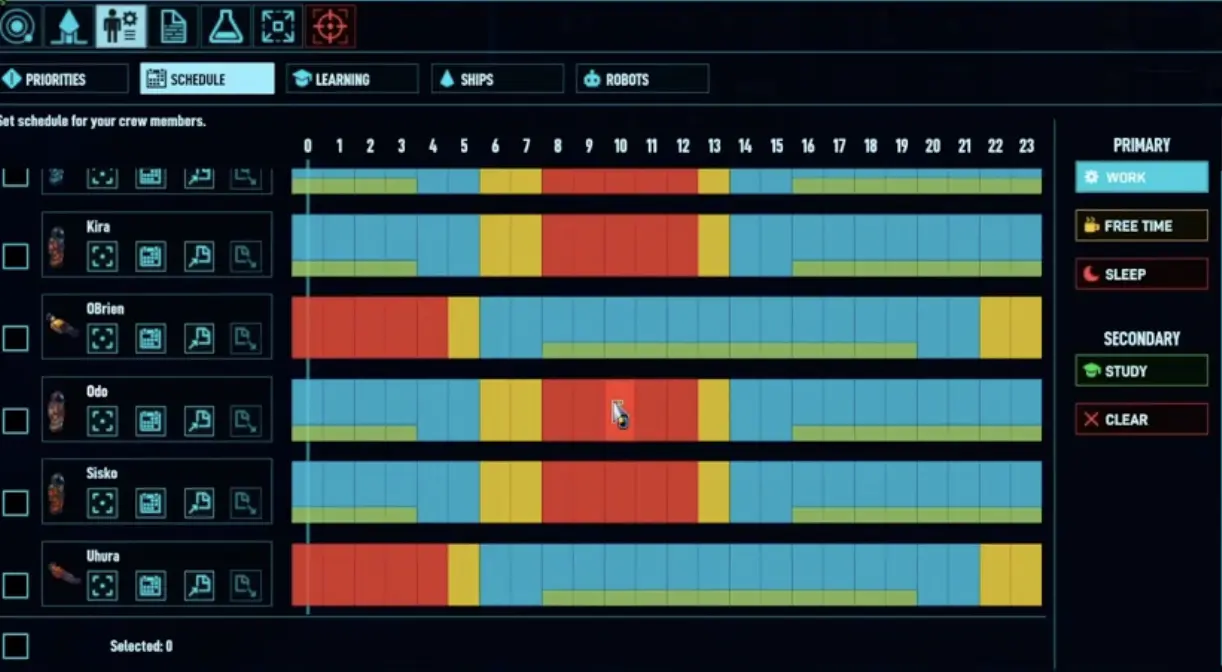
The schedule and priority screen is where most idle problems start. A crew member may be free, but if the job is disabled, outside their schedule, blocked by location settings, or waiting on logistics, they will still appear idle.
Fast Answer
| Problem | Most likely cause | First fix |
|---|---|---|
| Crew standing around | Drafted, sleeping, leisure time, or no valid job | Check draft status and schedule. |
| Facility has no input | Logistics did not deliver resources | Assign a logistics worker or fix storage. |
| Machine is idle | Conditional production rule is not triggered | Check Continuous vs IF lower than X. |
| Crew delivered resources but left | Delivery is Logistics; machine operation is Industry | Assign both Logistics and Industry roles. |
| Crew will not build | Missing resource, blocked path, wrong priority, or no tools | Check storage, path, tools, and construction priority. |
| Crew will not eat | Food storage filter or eating rules are wrong | Fix food storage and kitchen storage rules. |
| Shuttle or miner stopped | Prepare Hyperjump may be active | Cancel jump prep or finish the jump. |
| Crew work slowly | Low comfort, bad mood, injury, spacesuit fatigue, or pain | Fix comfort, treatment, rest, and room conditions. |
Symptom Index: Why Your Crew Looks Idle
Use this table first. Find the symptom, then jump to the section that matches the cause.
| Symptom | Likely cause | Fix |
|---|---|---|
| Crew stand around doing nothing | Drafted, wrong schedule, no valid job | Undraft, check schedule, check priority. |
| Machine has no input | Logistics is not delivering | Assign a logistics worker and fix storage. |
| Machine has input but nobody operates it | Industry priority missing | Assign an industry operator. |
| Machine only runs sometimes | Conditional production threshold not met | Check Continuous vs IF lower than X. |
| Output does not move | No valid storage or no hauler | Add storage rule and logistics priority. |
| Crew will not eat | Food storage / eating rule wrong | Put food near kitchen and allow eating from correct storage. |
| Crew will not build | Missing blocks, tools, path, or construction priority | Check materials, tools, pathing, and construction. |
| Crew will not mine or shuttle | Prepare Hyperjump active | Finish or cancel jump prep. |
| Crew work slowly | Low comfort, pain, fatigue, mood | Fix comfort, treatment, rest, and temperature. |
| Best worker keeps hauling junk | Priorities too broad | Disable or lower unrelated tasks for specialists. |
| Everyone sleeps at once | No shift coverage | Add a split shift when crew size allows. |
| Crew ignore derelict salvage | Location setting or shuttle issue | Check work area, shuttle, storage, and draft status. |
Quick Fix Checklist
Run through this list before changing your whole crew setup.
| Check | What to look for |
|---|---|
| 1. Draft status | If crew are drafted, they may not return to normal work. Undraft them after combat or exploration. |
| 2. Schedule | They may be sleeping, relaxing, or studying instead of working. |
| 3. Priority permission | The job may be disabled or set too low for everyone. |
| 4. Required skill | The job may need a skill your available crew do not have. |
| 5. Logistics chain | The machine may be waiting for someone to haul inputs. |
| 6. Production rule | The recipe may be set to an IF condition that is not currently true. |
| 7. Storage filter | The item may have no valid storage destination. |
| 8. Power | The facility may be outside the power grid or disabled by blackout. |
| 9. Location / area rule | Crew may not be allowed to work in that ship, station, or area. |
| 10. Comfort / danger | Heat, smoke, gas, noise, injury, fatigue, or low mood may be reducing work performance. |
| 11. Hyperjump prep | Prepare Hyperjump can stop shuttle and mining activity. |
Do not change everything at once. Fix one link in the chain, unpause, and watch what the crew does.
The Most Important Rule: Logistics and Industry Are Different Jobs
This is the idle crew mechanic that confuses new players the most.
In Space Haven, bringing resources to a machine and operating the machine are not the same thing.
| Step | Task type | Example |
|---|---|---|
| Move resources to the facility | Logistics | Carry scrap, water, food, fuel, or blocks to the machine. |
| Run the facility | Industry / relevant work type | Operate recycler, refinery, kitchen, production machine, or other facility. |
| Move finished output | Logistics | Carry finished items to valid storage. |
That means one crew member may deliver the resource and then walk away. This can look broken, but the job chain is waiting for another valid crew member to operate the machine.
Why Machines Look Idle Even With Resources Nearby
| Symptom | What is probably happening |
|---|---|
| Machine has no input | No logistics worker delivered the resource. |
| Machine has input but nobody uses it | Industry priority is too low or disabled. |
| Crew carries one item then leaves | They completed a Logistics job, not the Industry job. |
| Machine starts and stops constantly | Logistics cannot keep up with input demand. |
| Output piles up | There is no valid storage or no logistics worker moving it. |
How to Fix Logistics + Industry Bottlenecks
Use at least one crew member who is allowed to do Logistics and one crew member who is allowed to do Industry.
| Crew role | Priority setup |
|---|---|
| Logistics runner | High Logistics, low or disabled Industry, Construction only if needed. |
| Industry operator | High Industry, low Logistics, disabled low-value hauling if they keep wandering. |
| Engineer | High Construction / Maintenance / Industry, low basic hauling. |
| Botanist / Cook | High Botany / Food tasks, low unrelated hauling. |
Do not let every crew member do everything. If everyone is allowed to haul, your best engineer or botanist may spend the day moving random items instead of doing the job only they can do.
Conditional Production: Continuous vs IF Lower Than X
A machine can be idle because its production condition is not active.
This is easy to misread. If a facility is set to Continuous, it should keep producing as long as inputs, power, crew, storage, and priorities are valid. If it is set to IF lower than X, it only runs when the game believes your stock is below that threshold.
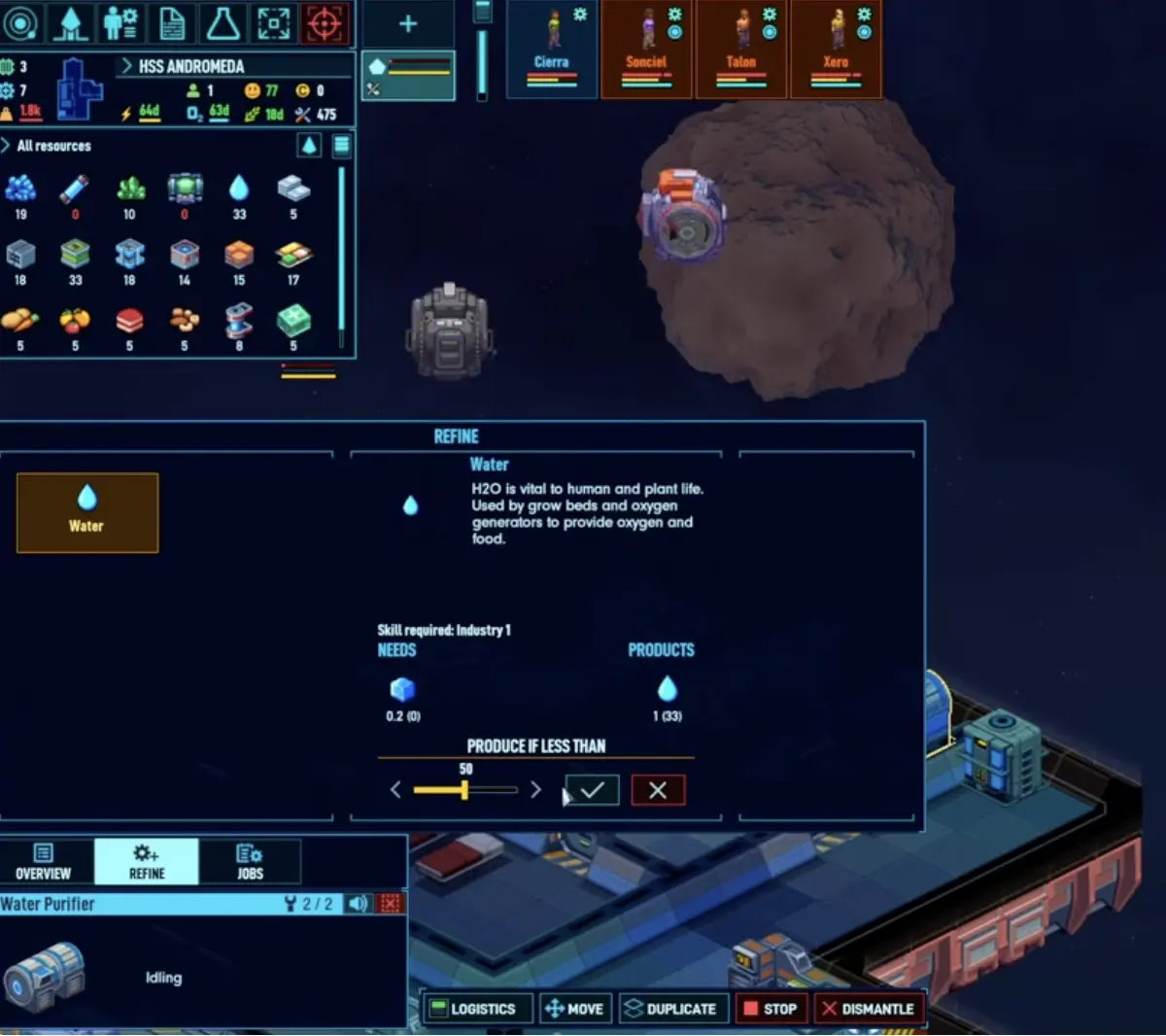
In this kind of production menu, the machine is not simply “on.” It is waiting for a condition. If the stock count, storage filter, recipe, or output destination does not match what you expect, the machine may sit idle even though it looks like it should work.
Conditional Production Troubleshooting
| Problem | Fix |
|---|---|
| IF lower than X never starts | Raise the threshold or check whether the game is counting items in another storage. |
| Machine stops after one batch | The stock level reached the threshold. This is expected behavior. |
| Output has nowhere to go | Add or fix a valid storage destination. |
| Inputs exist but are not delivered | Assign Logistics or move input storage closer. |
| Crew ignores the machine | Check Industry priority and schedule. |
| Wrong recipe is selected | Re-select the recipe and confirm the production condition. |
| Rule feels stuck | Toggle the recipe off/on or switch to Continuous briefly to test the chain. |
For early survival resources like water, food, and basic materials, conditional production is useful. But when debugging, Continuous is often easier because it tells you whether the problem is the recipe chain or the condition.
Storage Filters Can Make Crew Look Idle
Storage is not just where items go. It controls whether jobs have valid inputs and outputs.
If your filters are wrong, crew can stand around even when the item exists somewhere on the ship.
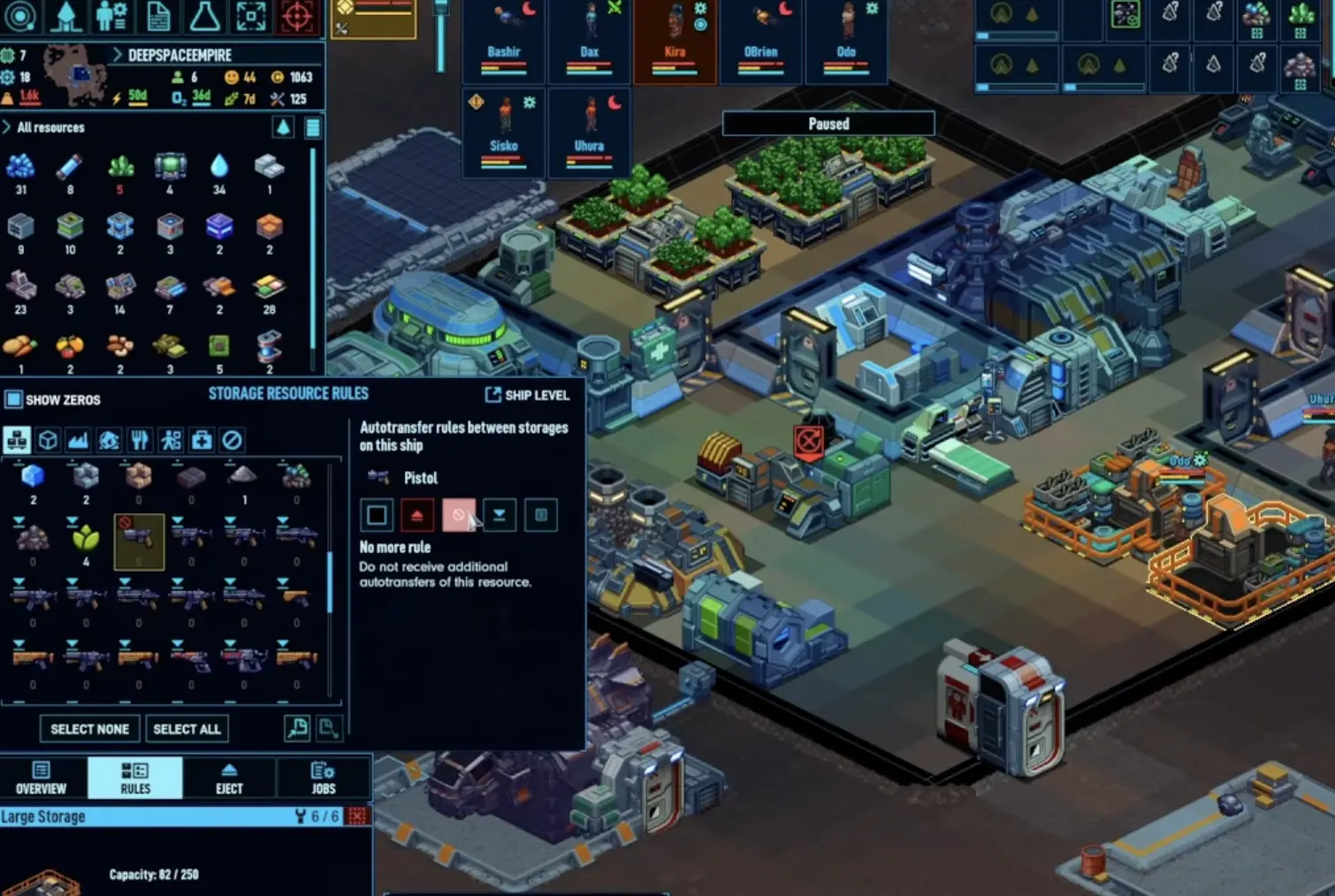
Use storage filters to make the ship predictable. Food should be near the kitchen and dining area. Medicine should be near the med bay. Industrial inputs should be close to production. Weapons should not be dumped into the same storage as food or raw resources unless you are desperate.
Storage Filter Problems
| Symptom | Likely storage issue |
|---|---|
| Crew will not eat | Food is in the wrong storage, forbidden storage, or not allowed as an eating source. |
| Kitchen is idle | Ingredients are too far away, filtered out, or not being delivered. |
| Recycler output piles up | No valid output storage. |
| Production machine lacks input | Input storage is too far away or not allowed. |
| Crew carry items across the whole ship | Storage is too centralized or badly filtered. |
| Weapons are hard to equip | Weapons are stored far from boarding prep or mixed with unrelated goods. |
Best Early Storage Rules
| Storage type | Where to put it | Rule |
|---|---|---|
| Food storage | Kitchen / dining area | Allow eating from this storage. |
| Medicine storage | Med bay | Keep medical items close to treatment. |
| General salvage | Airlock | Accept common salvage and construction materials. |
| Industrial input | Industry room | Keep production inputs near machines. |
| Fuel / energy | Near generators | Keep accessible, but not inside a hazard mess. |
| Weapons / armor | Boarding prep or defense area | Keep combat gear easy to equip. |
The goal is not to create dozens of tiny warehouses. The goal is to make the next job obvious.
Priority Templates That Actually Prevent Idle Problems
A priority template should do two things:
- Make sure every important job has an owner.
- Stop high-skill crew from being dragged into low-value work.
4-Crew Starter Template
| Role | High priority | Low priority | Disable or avoid |
|---|---|---|---|
| Engineer | Construction, Maintenance, Industry | Logistics | Botany, Medical unless no one else can do it |
| Botanist / Cook | Botany, Food, Basic Logistics | Construction | Industry if it pulls them from crops |
| Researcher / Doctor | Research, Medical | Logistics, Study | Heavy Industry unless needed |
| Hauler / Generalist | Logistics, Construction support | Industry support | Research if they are bad at it |
For a tiny crew, do not disable too aggressively. You still need backup workers. But if your best engineer keeps hauling food across the ship, lower or disable unnecessary hauling for that person.
6-Crew Template
| Role | High priority | Low priority | Disable or avoid |
|---|---|---|---|
| Engineer | Construction, Maintenance, Industry | Logistics | Botany, Research |
| Industry operator | Industry, Maintenance | Logistics | Medical, Research |
| Logistics runner | Logistics | Construction support | Industry unless emergency |
| Botanist / Cook | Botany, Food | Logistics | Industry |
| Doctor / Researcher | Medical, Research, Study | Logistics | Heavy hauling, Industry |
| Security / Away team | Weapons, Shuttle, Boarding support | Logistics backup | Critical food/industry jobs if they leave often |
The main idea is specialization. Nobody should be doing everything. If everyone does everything, the whole ship becomes slow.
Schedule Templates
Schedules decide whether crew are even available to work.
A crew member may be “idle” because they are in Sleep, Leisure, or Study time. Study is useful because it fills downtime, but it should not replace survival work.
Simple Starter Schedule
| Time block | Use |
|---|---|
| 8h Sleep | Keeps mood and recovery stable. |
| 2h Leisure | Prevents comfort and mood collapse. |
| 6h Work | Main work block. |
| 2h Study | Low-priority skill growth when nothing urgent is happening. |
| 6h Work | Second work block. |
This is a simple template, not a perfect schedule. Adjust it if your crew is exhausted, injured, or constantly missing meals.
Two-Shift Schedule for 6+ Crew
Once you have six or more crew, split the ship into day and night coverage.
| Shift | Best for |
|---|---|
| Day shift | Construction, research, botany, kitchen, trade, normal production. |
| Night shift | Logistics, maintenance, power, medical watch, emergency repairs. |
You do not need everyone awake at all times. You need enough crew awake that the ship does not stop because everyone is asleep.
A good split-shift setup keeps:
- at least one logistics worker awake
- at least one repair / maintenance capable crew awake
- one medical-capable crew available if possible
- critical food and power jobs covered during long production chains
Do not overdo night shifts early. A small crew can collapse if nobody gets proper sleep.
Comfort Affects Work
Comfort is not cosmetic.
Low comfort hurts mood, and mood affects work performance. Bad lighting, machine noise, bad temperature, ugly rooms, missing privacy, and injured crew all make your workforce less reliable.
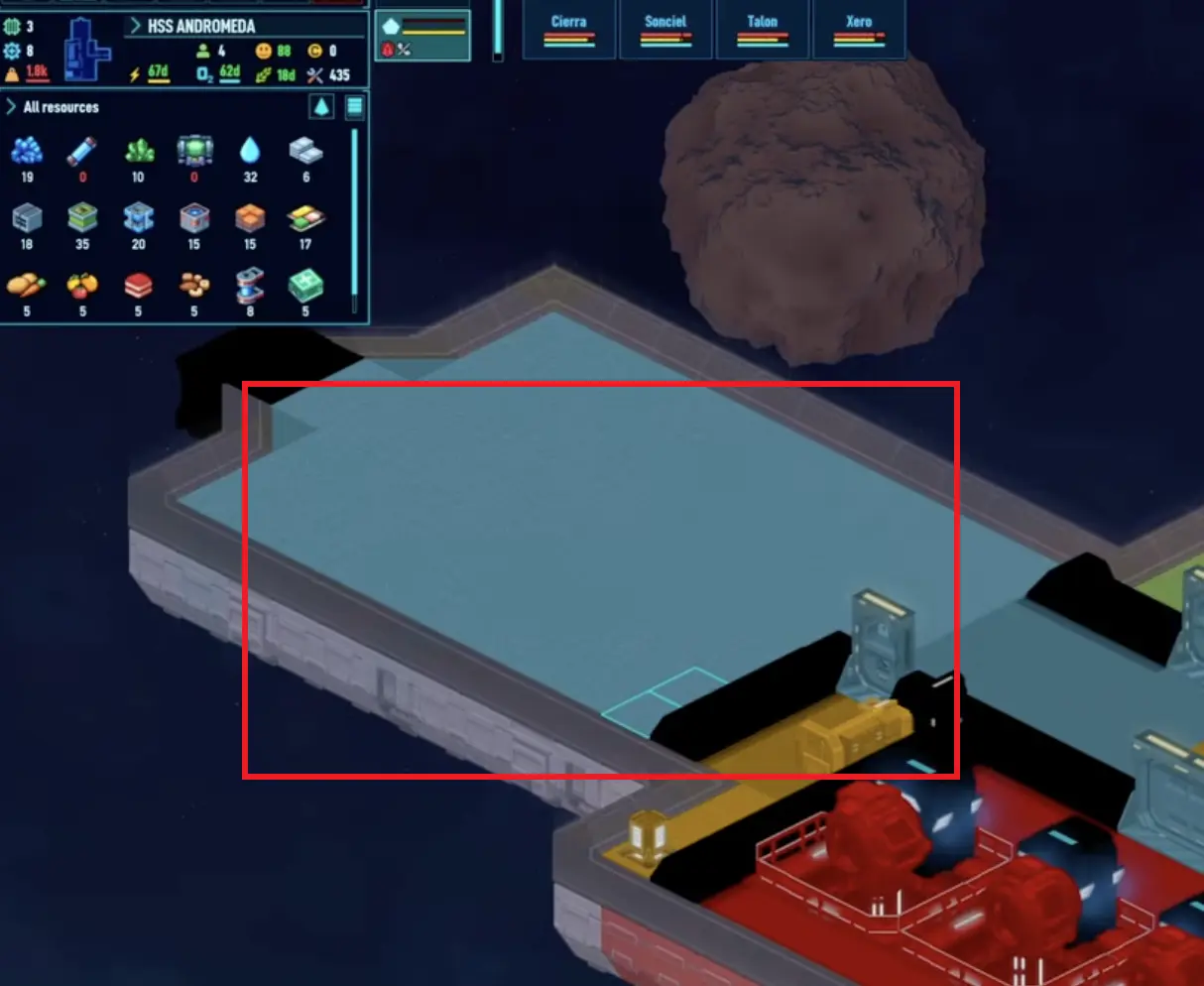
If a crew member refuses to keep working in an area, or seems slow even with the right priority, check the room. A hot, noisy, ugly industry room beside a bedroom can create a chain of mood and performance problems.
Comfort Checklist
| Problem | Fix |
|---|---|
| Bad sleep comfort | Give crew proper beds, privacy, stable temperature, and basic room quality. |
| Machine noise near beds | Move industry away or use doors and room separation. |
| Poor lighting | Add lights in work and living spaces. |
| Bad temperature | Add thermal regulators or separate greenhouse/industry rooms. |
| No leisure space | Add a small dining or break room before morale collapses. |
| Injury / pain | Let crew heal instead of forcing them back into work. |
| Spacesuit fatigue | Avoid keeping crew in EVA suits longer than needed. |
A tiny comfort upgrade can fix a surprising number of “my crew is useless” problems.
After Combat: Undraft and Recover
Combat is one of the easiest ways to create fake idle problems.
When an away mission ends, your crew may still be drafted, injured, bleeding, in pain, exhausted, or carrying gear. Drafted crew do not behave like normal workers.
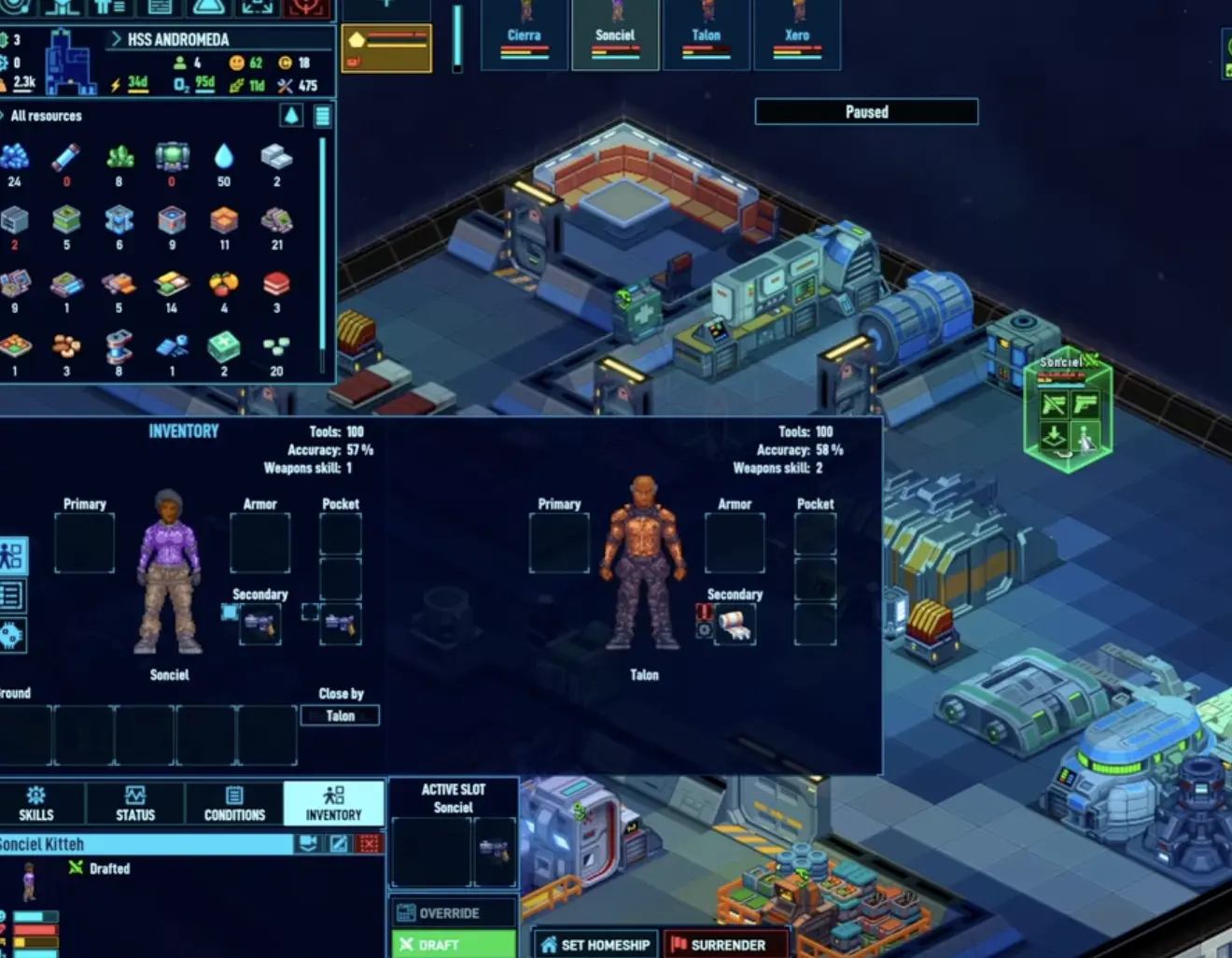
After every derelict or boarding action:
- Undraft everyone.
- Send injured crew to rest or medical care.
- Move weapons and loot to valid storage.
- Check pain, bleeding, spacesuit fatigue, and mood.
- Let logistics finish before starting the next big job.
Do not immediately start a second mission if half the crew is injured or mentally unstable. A wounded crew member is a worker you do not really have.
Prepare Hyperjump Can Stop Shuttles and Miners
This is an easy one to miss.
If you have clicked Prepare Hyperjump, shuttle and mining behavior can stop while the ship prepares to leave. It can look like your miners, shuttle crew, or logistics crew suddenly became idle.
Check this when:
- miners stop collecting asteroid resources
- shuttle transfers stop
- salvage loading stops
- trade or shuttle movement seems frozen
- crew are waiting around despite valid jobs
The fix is simple: either finish the jump or cancel preparation if you still need mining, salvage, trade, or shuttle work in the sector.
This is not a priority problem. It is a ship-state problem.
Location and Area Settings
Large ships, stations, fleets, and away teams can create another kind of idle problem: crew are allowed to work, but not in the place where the job exists.
Check location settings when:
| Situation | What to check |
|---|---|
| Away team will not strip a derelict | Make sure the right crew are assigned to that work area or ship. |
| Station crew ignore visitor or service areas | Check area painting and permissions. |
| Fleet crew do not help another ship | Check home ship and allowed work location. |
| Crew ignore a room | Check whether the area is allowed for crew use. |
Location settings are powerful because they let you keep a main ship crew working while a separate crew handles salvage or station tasks. They also create confusing idle problems if the wrong people are assigned to the wrong place.
FAQ
Why is my Space Haven crew idle?
Usually because there is no valid job available for that crew member. Check draft status, schedule, priorities, logistics, production rules, storage filters, power, location settings, and comfort.
Why does my machine have resources but nobody works it?
Delivery and operation are different jobs. A logistics crew member may deliver resources, but an industry-capable crew member still needs to operate the machine.
Why does production stop when I set IF lower than X?
The machine only runs when the stock level is below the threshold. If the game counts items in another storage, or the output has no valid destination, the rule may not behave the way you expect.
Should I disable jobs in the priority menu?
Yes, for specialists. Do not disable too much on a tiny crew, but once you have enough people, disable low-value jobs that pull your best workers away from their main role.
Do I need a night shift?
Not immediately. For four crew, one simple schedule is usually easier. For six or more crew, a day/night split helps keep logistics, repairs, medical care, and power support active while others sleep.
Why did my miners or shuttle stop working?
Check whether Prepare Hyperjump is active. If the ship is preparing to leave, mining and shuttle activity can stop until you cancel the prep or finish the jump.
Continue Reading in the Space Haven Guide Cluster
This article is part of our Space Haven strategy cluster. Use these guides to keep learning the game's core systems and routes.
Survive the Space Haven 1.0 early game. Follow our exact first 7 days build order to set up life support, power nodes, and prep for your first jump.
Power GuideFix Space Haven Blackouts: 1.0 Power & Threshold GuideRunning out of power in Space Haven 1.0? Learn how to fix blackouts, set generator threshold links, manage power nodes, and produce energy rods.
Survival GuideSpace Haven Food and Water Guide: Algae, Ice, Grow BedsFix Space Haven food and water problems with algae, ice, grow beds, balanced meals, fertilizer, nutrient deficiency, and early farming tips.
Layout GuideSpace Haven Ship Layout Guide: Starter Tube and BlocksBuild a safer Space Haven ship with starter tube and mid-game block layouts, storage routes, industry rooms, greenhouse separation, and defense tips.